Self-Ordering Kiosks for Restaurants: Benefits and Key Features
Self-ordering kiosks help small and mid-sized restaurants offset labor pressure, lift average ticket sizes, and cut order errors — but the real impact depends on choosing a kiosk that integrates cleanly with your POS, menu and marketing.
- Bigger checks, fewer mistakes. Kiosks give guests time to browse and upsell prompts can lift average check size by 15–20%, while guest-entered orders reach the kitchen cleaner.
- Integration is everything. Pick a kiosk that shares one menu and price list with your POS and online ordering, with fast checkout and central device management.
- Use kiosks to grow your marketing list. A quick phone-number prompt at checkout turns walk-in traffic into rewards members and repeat customers you can reach again later.
Walk into a Panera, a Chipotle or even your neighborhood taqueria, and chances are you'll find a sleek touch screen instead of a cashier. More independent and small-chain restaurants are adding them to their dining rooms—partly because guests tend to prefer ordering this way.
They can browse the menu at their own pace, customize without holding up the line, and pay without waiting on a cashier. I get the appeal.
A lot of operators I talk to are exploring kiosks for similar reasons: hiring is tough, wages have gone up and front-of-house costs keep adding up. Kiosks can help take some of that pressure off.
Below, I'll walk you through the potential benefits, the features worth considering and what to think about before deciding whether a kiosk makes sense for your restaurant.
What is a self-ordering kiosk?
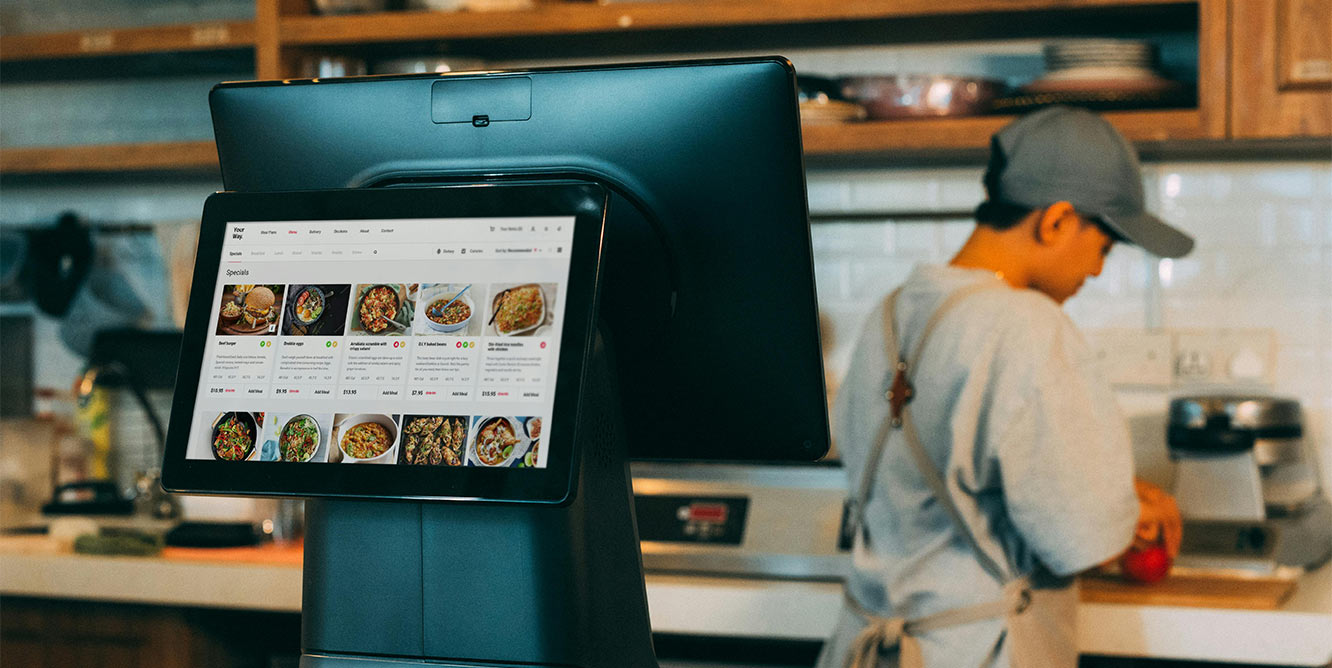
A self-ordering kiosk is a touch-screen device—usually a tablet or larger display mounted on a countertop, freestanding stand, or wall—that lets your guests place and pay for their own orders.
The hardware is paired with menu software that mirrors what normally lives on your POS: items, modifiers, prices, photos and upsell prompts. When a guest taps through and pays, the order goes straight to your kitchen display or printer, just as a server-rung ticket would.
In practice, a kiosk handles the order-taking step that usually happens at the counter. You'll see them in quick-service and fast-casual spots for both dine-in and takeout, often placed near the entrance or alongside a traditional counter so guests can pick how they'd like to order.
Why restaurants are swapping counters for self-ordering kiosk systems
A lot of the operators I talk to cite the same handful of reasons for making the switch: guests like ordering this way, average checks tend to be bigger, and there are fewer order errors. Here's a closer look at each:
- The "kiosk effect." When guests order at a counter, there's an unspoken pressure to move quickly with a line behind them. At a kiosk, that pressure fades. Guests take their time, browse the full menu and often add things they would have skipped at the register.
- Bigger average checks. According to Kiosk Industry, kiosks can increase average check sizes by 15%-20% through consistent upselling prompts that show up in front of every guest, not just when a cashier remembers to ask.
- Fewer order errors. Customization happens in the guest's hands, not across a counter. If something is wrong, it's wrong on their screen, and they catch it before paying. That means fewer remakes in the kitchen and fewer awkward refunds at the register.

Features to look for in a self-ordering kiosk
Before you sign any contracts, I'd recommend looking past the hardware itself and asking how the kiosk fits into the rest of your operation. Consider your menu, your POS and the team running the floor every day.
Here are the features I think matter most.
- One menu, one set of prices. Your kiosk should run on the exact same menu you already use online. No double entry, and no separate "kiosk version" to maintain when prices change, or a limited-time special is removed from the menu.
- Fast, reliable checkout. Be it tap, chip, Apple Pay or Google Pay, you should build a checkout that moves lines quickly and keeps payments smooth, even during your busiest hour.
- A guest flow anyone can use. Big buttons, clear steps, no jargon. Guests should be able to walk up and order without a staff member having to translate the screen.
- Instant confirmation + digital receipt. After checkout, guests get a clear confirmation with their name and order number, plus a QR code for their receipt, no printer required.
- Plays nicely with your POS. Kiosk orders should land in your POS the same way as every other order, tagged with the correct order type so the kitchen doesn't have to guess whether it's dine-in or takeout.
- Captures guests into your marketing. A quick phone-number prompt at checkout can opt guests into rewards—turning in-store traffic into repeat customers you can reach again later.
- Built-in upsells that feel natural. Smart add-ons and upgrades—drinks, sides, sizes—that can nudge average order value up without slowing down the order.
- Locked down and centrally managed. Kiosks need to be secure, monitored, and easy to troubleshoot. Owner POS centrally manages devices, so you can update, control and fix issues remotely.
- A great-looking menu, on every screen. Strong photos and a simple layout move more food than text ever will. Owner POS makes it easy to add and update both.
- Set up in minutes. Plug it in, connect to Wi-Fi, and go. The right kiosk shouldn't require an IT project to install.
Power your self-ordering kiosks with an Owner POS
A kiosk works best when it's part of one system. With Owner POS, kiosk, online and in-store orders all landing in the same place, your staff only need one screen to learn. Guests are automatically enrolled in loyalty programs and can earn and use points whether they order at the kiosk, online or at the counter.
Kiosks can suggest add-ons at the right moment to lift average ticket size, and with guests entering their own orders, what reaches the kitchen tends to be cleaner.
Every checkout also syncs into Owner.com’s restaurant marketing tools, which is part of why our customers see 3.5x more customers on their SMS list, turning each walk-in into another chance to bring that guest back.
Want to see how it fits your restaurant? Book a demo.
Self-ordering kiosk for restaurant FAQ
Where should kiosks be placed for the best results?
Most operators I talk to put their kiosks right at the front—near the entrance, in clear view of anyone walking in. The idea is that guests notice the kiosk before they reach the counter and can choose how they want to order without backtracking.
A few practical things to think about: leave enough space in front of each kiosk so guests can browse without blocking the door.
You could also keep multiple kiosks spaced far enough apart so people aren't bumping elbows and make sure each one is close to a power outlet and has a strong Wi-Fi signal.
How much does a typical kiosk setup cost?
Self-ordering kiosk pricing usually breaks down into two parts: hardware (one-time or financed) plus a software subscription per device per month, on top of standard card processing fees. Here’s a breakdown of some of the most popular kiosks:
- Owner: $1,000–$2,000 per kiosk as a one-time cost, plus small processing fees. Financing may be available.
- Square: ~$899 hardware, $30–$50/month per device.
- Clover: ~$3,499 hardware, $34.95/month per device.
- Enterprise kiosk vendors (GRUBBRR and similar): $3,000–$10,000 per kiosk, plus ongoing fees.
So, depending on which path you take, getting started can run anywhere from around $1,000 to well into five figures per kiosk.
How long does it take to see ROI from a kiosk?
Most operators see ROI from a kiosk within a few months, though it depends on how busy you are and which setup you choose.
The math comes down to two things: how much extra you're making per ticket and whether the kiosk is replacing a cashier shift or just helping your existing team move faster.
Higher-volume restaurants tend to get there sooner. For example, a kiosk that handles 50 orders a day pays for itself much sooner than one handling 10.
Do kiosks integrate with my POS and online ordering system?
Most kiosks can integrate with a POS and online ordering system, but how well they do varies by vendor. If you're on Owner.com, your kiosk runs on the same system as your online ordering and POS—one menu, one set of prices and every order lands in the same place.
With third-party kiosks, integration varies. Some connect to common POS systems out of the box; others require middleware or manual setup and a few just don't talk to your existing tools at all.
Before you buy, ask the vendor exactly which POS and online ordering systems they support and what "support" actually means (real-time sync, batched updates or something more manual).