The Complete Guide to Online Ordering Systems for Restaurants (2026)
Learn how online ordering for restaurants works, what it costs, and how to choose the right system to drive more direct orders from your own website.
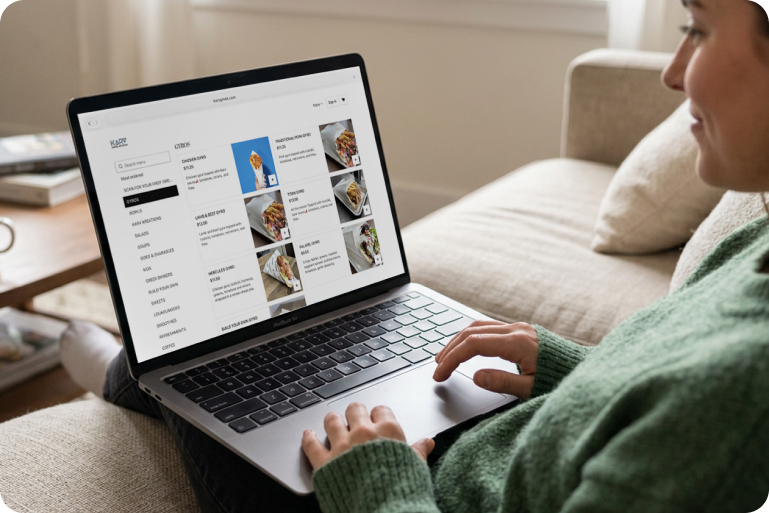
- An online ordering system lets guests order pickup or delivery straight from your website, no app download required.
- Direct ordering and delivery marketplaces aren’t either/or. Most restaurants run both.
- Owner websites convert up to 80% better than the average restaurant website.
- The system only pays off when guests can find you, checkout is easy, and they come back.
- App customers order about 2.6x more over time than web-only customers.
- Costs usually break into a few pieces: a monthly fee, sometimes a per-order fee, payment processing, and hardware if you need it.
- Setup can take as little as a few weeks if your menu and payments are ready to go.
Right now, a good share of your online orders probably come from somewhere outside of your own website, whether that’s the delivery apps, over the phone, or a mix of both.
Maybe you’re leaning on the delivery apps because that feels like the easiest way to reach your customers. Maybe you don’t have online ordering at all yet, and you’re taking orders over the phone while you figure out if it’s worth setting up. Or maybe you tried adding ordering to your website once, it barely got used, and you’ve written off direct ordering as something that doesn’t work for restaurants like yours.
Wherever you’re starting from, this guide walks through what online ordering for restaurants actually looks like, how it works, why it works for some restaurants and not others, what it costs, and how to choose the right setup for your restaurant. By the end, you'll know exactly what you need to set up online ordering and how to make it work for your restaurant.
What is an online ordering system for restaurants?
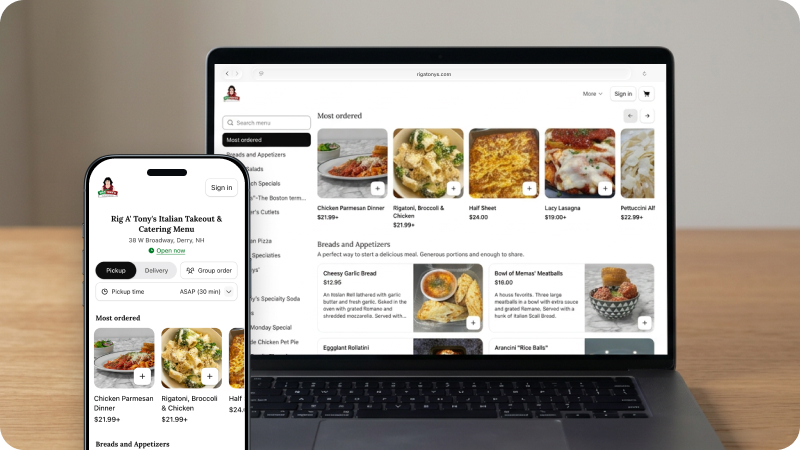
An online ordering system is software that lets guests place takeout or delivery orders directly through your restaurant’s website or mobile app, usually from a digital menu with a built-in checkout.
This is different from ordering through a delivery app. With online ordering, the guest is ordering directly from your restaurant, using a menu and checkout that you control instead of ordering from a listing on a third-party platform.
For restaurants, the goal of online ordering goes beyond simply taking orders. A complete online ordering system helps website visitors complete their order, supports direct sales, and connects to marketing so first-time visitors come back again (and again).
How online ordering actually works
Restaurant online ordering lets guests place pickup or delivery orders directly through your restaurant’s website or app. The typical process for a customer looks like this:
- After discovering your website, a guest finds the order button on the site or app
- They browse the menu, customize items, and add to their cart
- The customer checks out, gets an order confirmation, and receives a pickup or delivery time
Behind that simple flow is a system built to make it feel that easy for customers. There should be an order button that’s easy to find, a menu and checkout process that doesn’t slow them down, and a setup that makes reordering next time even faster.
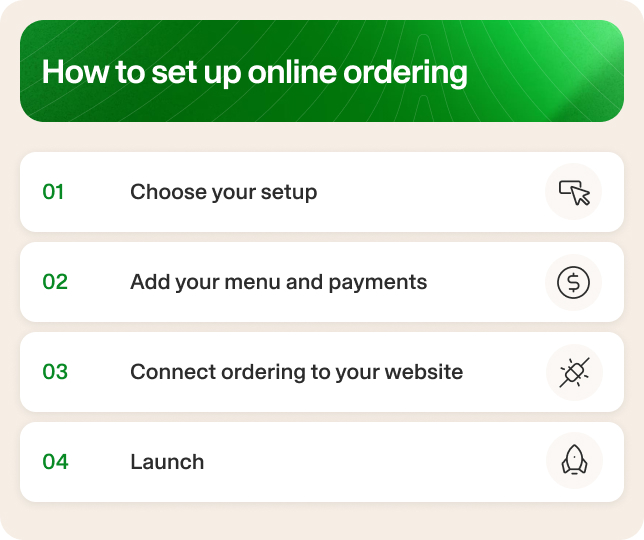
Getting there involves a few steps on your end:
- Choose the setup: Decide whether you’re adding ordering to an existing website, building a new one, or working with a system that includes both. If you don’t have a website built for ordering yet, this is also the point where a lot of restaurants look at an AI-built restaurant website instead of starting from scratch.
- Add your menu and payments: Load your menu, set modifiers and pricing, and connect a payment processor so guests can check out.
- Connect ordering to your website: Add the order button and checkout flow to your site so guests can order without leaving it.
- Launch: Turn ordering on and start taking orders directly from your own website.
Why every restaurant should have an online ordering system
Customer expectations have shifted. As you’ve seen firsthand, many customers prefer online ordering. But what may surprise you is that 58% of customers prefer to order delivery through a restaurant’s own website or app rather than a third-party one.
The top reasons why? Convenience and the ability to easily customize an order. Even more interesting is that 36% say they prefer ordering directly specifically to earn loyalty points. This points to something bigger: guests want a relationship with the restaurants they order from.
Online ordering has become more than just capturing a single order. A smooth ordering experience is the start of a relationship with that guest. Get it right, and a first-time visitor has a reason to keep coming back.
The phone still has a place, and plenty of guests will keep using the apps, too. Online ordering is simply about making sure the guests who already want to order directly from you can do it well.
How restaurants take online orders: Direct and third-party
There are two ways guests order from you online: directly or through third-party apps, which are typically delivery marketplaces.
Direct ordering means the guest orders straight from you. No middleman and no commission on every order. You own the relationship with that guest going forward, which includes their order history and contact information.
Marketplace ordering works differently. The apps bring built-in demand. Guests already have them installed, already trust them, and use them to discover new restaurants they haven’t tried yet. While the visibility is a benefit, it comes at a cost. Marketplaces typically charge a commission on every order that runs through them, on top of any delivery fees.
Neither one replaces the other. For most restaurants, it makes sense to run both direct ordering and third-party apps instead of choosing between the two. Marketplace apps are for guests who are browsing and want convenience, and direct ordering for guests who already know they want you and would rather order straight from your site.
The right balance between the two depends on things like how much of your business currently comes from each, how strong your own website traffic is, and how loyal your guest base already is.
What a restaurant online ordering system should include
Restaurants with online ordering that works well aren’t doing anything complicated. A good online ordering system starts with a menu guests can easily browse and customize, and ends with the ability to store their information for next time.
Think of it as several pieces working together. Each one solves a specific problem for either your kitchen or your customer. Here’s what a complete online ordering system should include, and why each piece matters.
All of these features work together. A menu update should show up on the kitchen screen and the website at the same time. An order that comes in should already know if that guest has ordered before.
Each piece does its own job, but they’re all talking to each other, so nothing falls through the cracks between the kitchen, your website, and the guest placing the order.
Why direct online ordering works for some restaurants and not others
Setting up online ordering is the first step. Making it actually work for your restaurant is where things get more interesting, and it usually comes down to three things:
- Guests can find you
- The checkout converts
- Customers come back
When all three are true, direct ordering turns into a channel you can count on. If one of them isn’t there yet, that’s usually the reason the current setup isn’t pulling its weight, but it’s not a sign that direct ordering doesn’t work for restaurants like yours.
Here’s what you need to achieve each step.
1. Guests can find you
Discoverability is easy to overlook because it doesn’t feel like part of “ordering” at all. Your ordering page can be great, but if guests aren’t landing on your website, they’ll never see it.
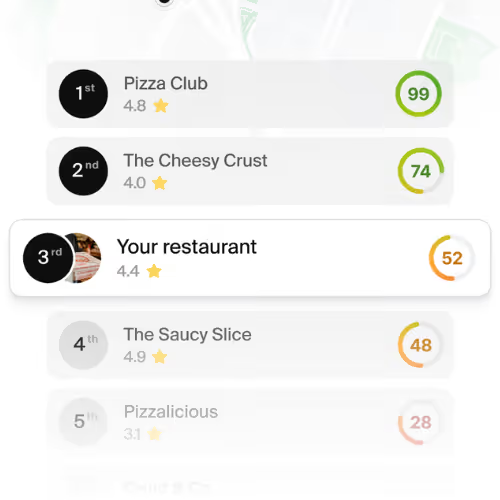
Most guests find a restaurant through a quick Google search, whether they already know your name or they’re looking for something nearby. If your website doesn’t show up in those search results, you’re missing out on customers before they even get a chance to order directly from you.
This comes down to restaurant SEO, which is how well your website, menu pages, and location information are set up to rank when someone searches for “best tacos near me” or “pizza restaurants in Brooklyn.”
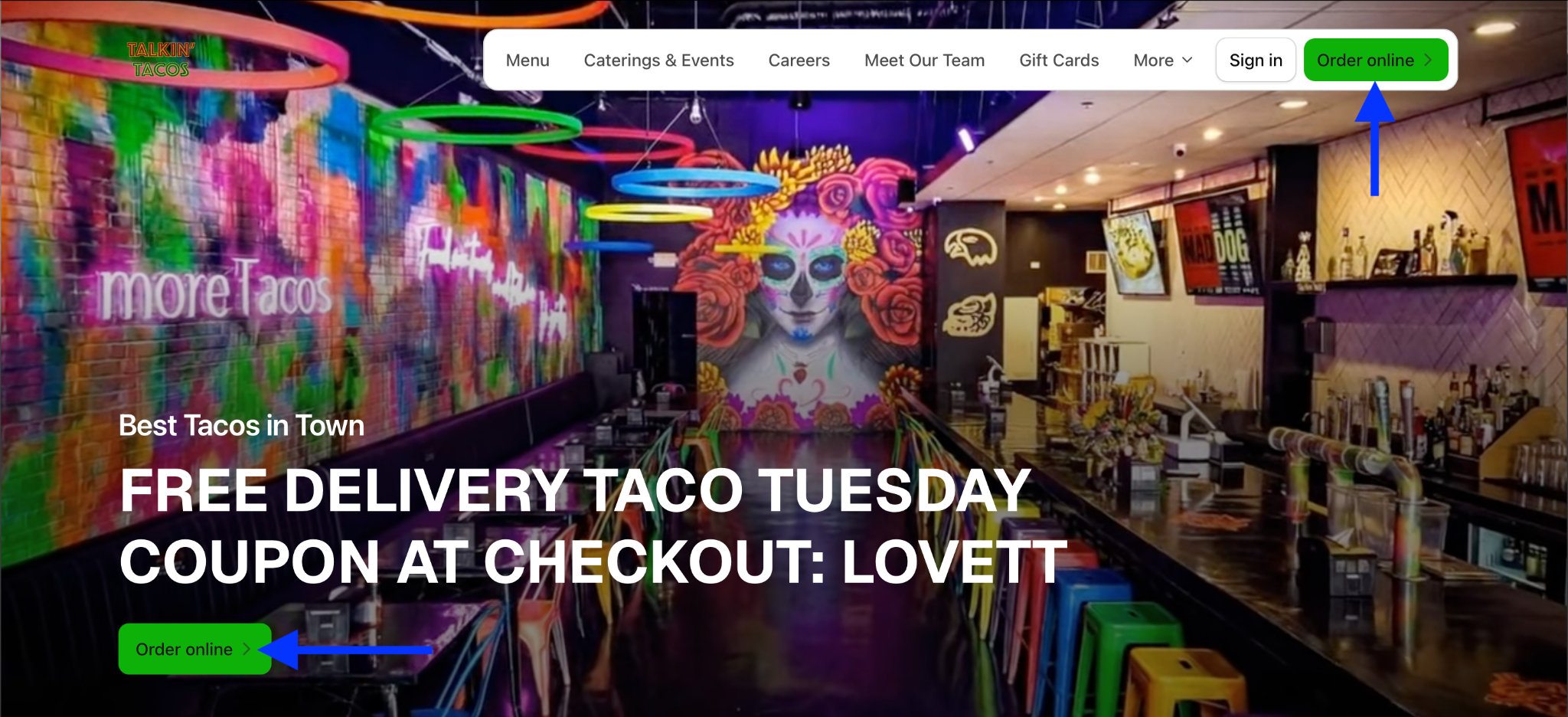
Talkin Tacos is a good example of how discoverability can make an impact on your restaurant sales. The restaurant started in a familiar place: guests who wanted to order from them were finding the delivery apps first, instead of the restaurant’s own site.
After launching their own website and branded app on Owner, Talkin Tacos now ranks at the top of Google search results and gets 700 new customers per month from Google. The business has also earned over $7 million in direct online sales, and has had 50,000 customers download their app.
Restaurants that switch to Owner see around 20% more Google traffic in their first 30 days. That number moves around depending on your market and who else is competing for the same searches, but the reason it happens is because the website itself is built to show up in local search. Owner’s automatic pages also drive up to about 40% of Google traffic for most restaurants.
2. The checkout converts
Getting someone to your website is already a win. Getting them through checkout is what turns that traffic into something more concrete - sales.
A website visitor who’s already decided what they want shouldn’t have to jump through hoops to get it. The easier the path is, the more likely they are to follow it all the way through.
When checkout doesn’t convert, it’s usually one of a few things:
- Too many steps
- No option to order as a guest
- Modifiers that confuse more than they help
- A page that’s slow to load on a phone
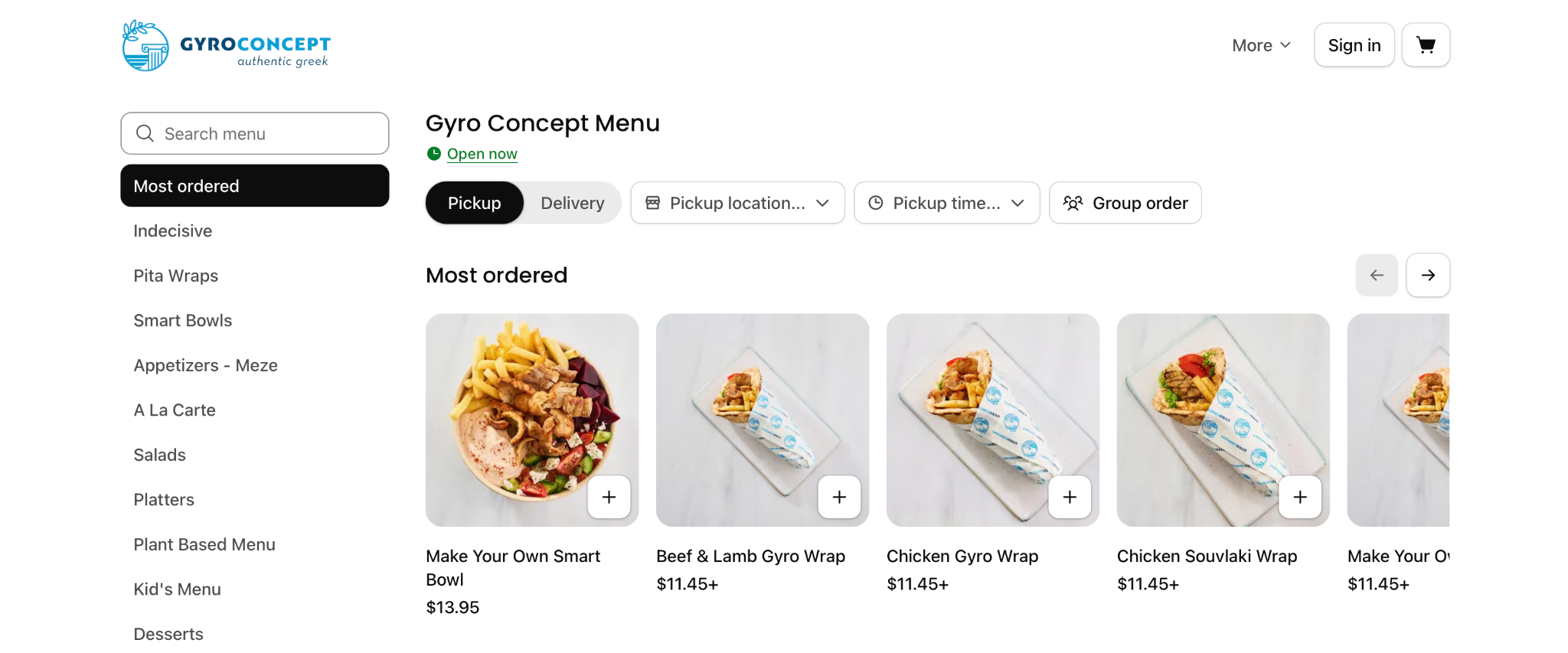
Gyro Concept saw what fixing this looks like firsthand. The business was managing multiple tablets and systems that caused missed orders and was difficult for customers to navigate. Once they simplified their online ordering and it worked the way guests expected it to, direct orders grew by 100%.
Owner websites convert up to 80% better than the average restaurant website. Behind that number: checkout completion runs around 8% on Owner, compared to around 4.5% on the average restaurant site (with big chains left out of the comparison since they’re playing a different game).
3. Customers come back
A first order is a great start. What makes online ordering worth it long term is when a guest orders again without thinking twice about it. Reordering comes down to how easy you make it for customers to order from you a second, third, or tenth time. That’s where having your own mobile app changes the picture.
App customers place about 2.6x more lifetime orders than web-only customers, averaging 4.28 orders over time compared to 1.67 for guests who only order through the website.
Part of that is simple: an app sits on someone’s phone and is ready the next time they’re hungry. It’s also why keeping track of who ordered what matters so much. When a system remembers a guest’s last order, you're making it even easier for them to choose you next time.
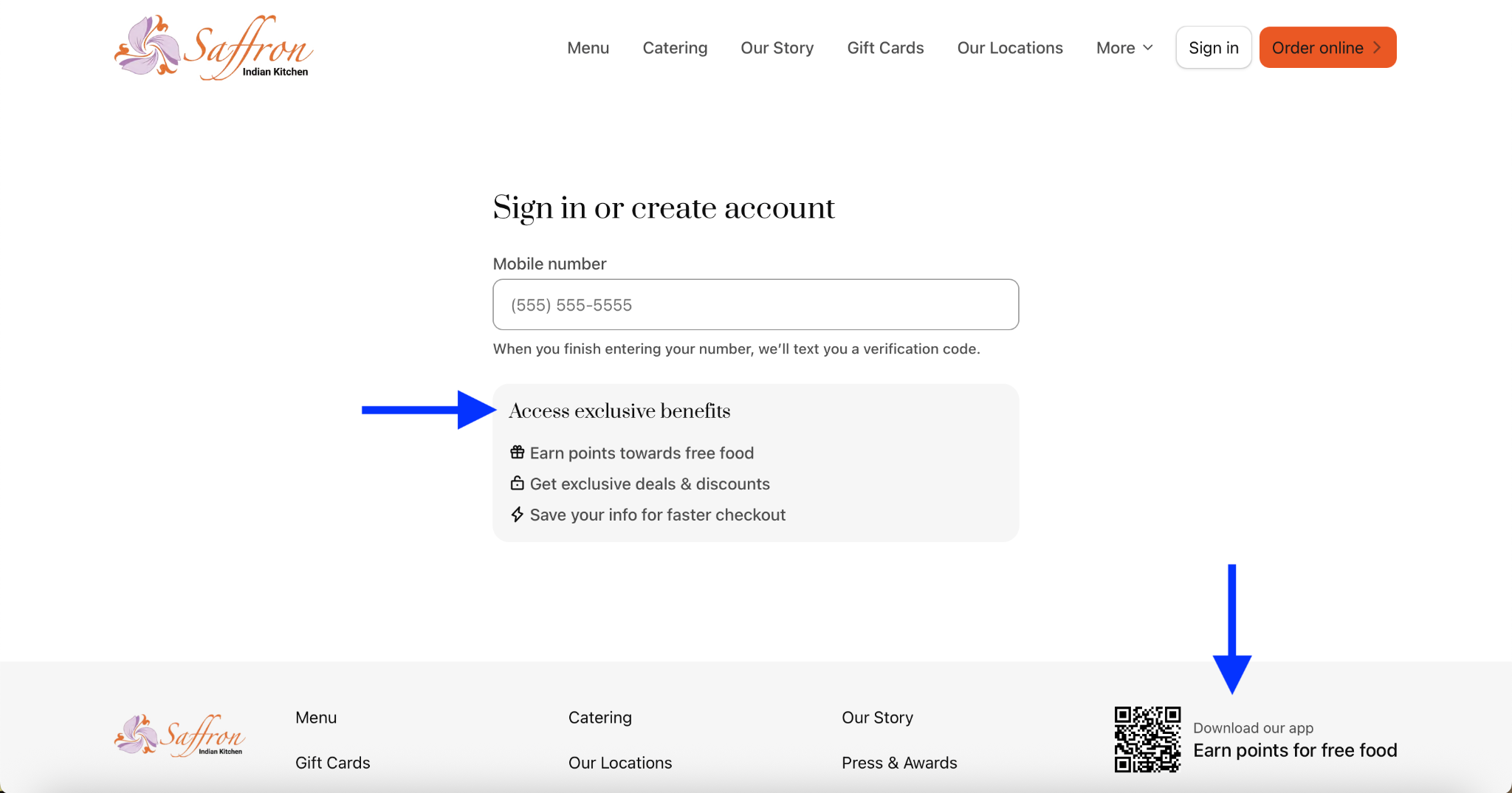
Saffron Indian Kitchen has generated over $4.5 million in total online sales, built the way most restaurants build theirs: from guests who keep coming back. What helped the restaurant get to this point was building its own branded mobile app using Owner.
Saffron set up a loyalty program that’s easily accessible on its website and allows customers to save their order information and earn points for free food. Now, tens of thousands of its regulars now use to reorder from the restaurant.
These three pieces work together to make online ordering possible. Traffic feeds a great checkout while a smooth checkout turns first-time guests into regulars. Regular customers are what make direct ordering worth setting up in the first place. Get all three moving at the same time, and online ordering starts being something you can build on.
How much does online ordering cost restaurant owners
Online ordering costs usually break down into a handful of factors. Knowing what each one covers makes it easier to compare your options.
Monthly subscription
Most online ordering systems charge a flat monthly fee for the platform, the website, or both. This typically runs anywhere from around $100 to a few hundred dollars a month, depending on what’s included and how many locations you’re running.
Per-order fees
Some systems charge a small fee on top of the subscription for every order that comes through, often somewhere between $0.50 and $2 per order. Others build this into the monthly fee instead. It’s worth knowing which model you’re looking at before comparing prices, since a lower subscription with per-order fees can end up costing more at high volume.
Payment processing
Every online order needs a way to actually take payment, and that comes with its own cost, usually a small percentage of each transaction plus a flat fee, similar to what you’d pay for any card payment. This is standard across the industry and isn’t specific to online ordering.
Marketplace commission
If you’re also using delivery marketplaces, those come with their own additional commissions per order, separate from anything related to your direct ordering system.
Hardware
If you don’t already have a tablet or kitchen display to receive orders, you may need to add one. This is usually a one-time cost, though some systems roll it into a lease or monthly fee instead.
Owner works on a flat monthly subscription that includes the restaurant website, branded mobile app, online ordering, and the marketing tools that help drive traffic to it, so pricing doesn’t change based on how many orders come through or how many locations you have. A restaurant having a great month shouldn’t get penalized for it with higher fees.
The right cost comparison isn’t just about the lowest sticker price. It’s important to think about what you’re actually getting for it, and what it would cost you to get the same result somewhere else.
How to choose the right online ordering system for your restaurant
Choosing the right restaurant online ordering platform depends less on which one has the most features and more on where you're starting from. Here's how to think through it based on your situation.
Most restaurants fall into more than one of these at once, and that’s okay. The point is to figure out what actually matters for your restaurant before you start comparing specific platforms.
How to set up online ordering on your restaurant website
Setting up online ordering generally comes down to four steps:
- Choosing your setup
- Adding your menu and payments
- Connecting ordering to your website
- Launching
How long that takes depends mostly on how ready your menu and payment details are going in. If you’ve got both squared away, some restaurants are live within a few weeks.
Wherever you’re starting from, whether that’s leaning entirely on the delivery apps, taking orders over the phone, or trying to figure out why a past attempt at online ordering didn’t take off, the path forward is the same: make sure guests can find you, make checkout easy, and give them a reason to come back.
If you’re ready to see what online ordering looks like for your restaurant, get a free demo and we’ll walk you through it.
Online Ordering FAQs
Can I add online ordering to my restaurant website?
Yes — and you should. Adding online ordering directly to your own website lets you take orders commission-free, keep your customer data, and turn website visitors into direct sales instead of sending them to third-party apps. Just make sure the ordering happens on your own site rather than redirecting to an external platform, which hurts both your SEO and your customer relationship. Platforms like Owner build direct online ordering right into your site.
What should I look for when choosing an online ordering provider?
Focus on platforms that fit your operational needs and long-term growth goals. Key factors include seamless integration with your POS and website, strong menu management tools, reliable uptime, and clear pricing with no hidden fees.
Also evaluate how easy the system is to use for your team and your customers. Look for built-in features that support growth such as marketing tools, analytics, customization options, and upgrade paths. These features will allow your platform to scale with your restaurant, without forcing another migration later.
What is onsite online ordering (OLO)?
"OLO" refers to onsite online ordering, which is online ordering that lives on your website, as opposed to online ordering that links out to a third-party website. OLO is great for restaurants since it helps you own your customer relationship from end-to-end, reduces any commission fees, and is better for your restaurant website's SEO performance.