The Ultimate Guide to ChatGPT for Restaurants: How to Get Recommended in AI Search
I’ll show you how to update your website and third-party listings so that ChatGPT finds the right information and can recommend you when someone asks for the best restaurants in their area.
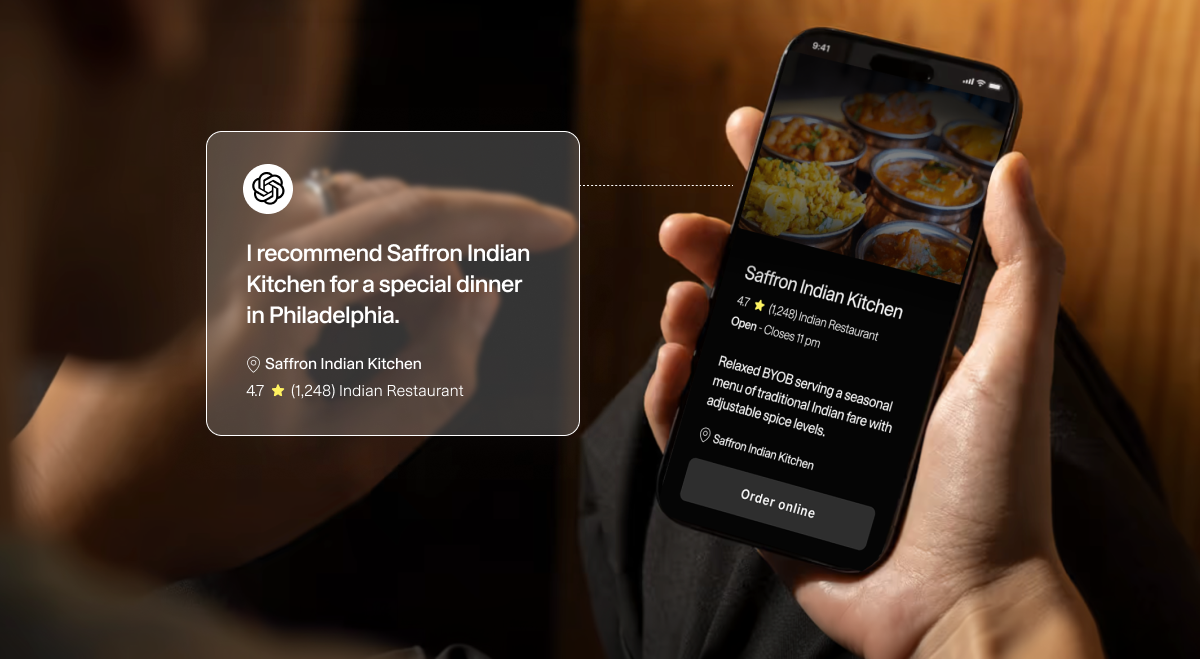
- AI is now a real discovery channel. Almost half of consumers use AI for local business recommendations, and 22% have used a tool like ChatGPT to choose where to eat.
- You don’t need a fancy new strategy. If your SEO basics are covered, that work will carry over to help you get recommended by ChatGPT, Google AI Mode, Gemini, and other AI tools.
- ChatGPT finds restaurants by searching online. When someone asks for “the best pizza near me,” ChatGPT runs a live search and reads websites, Google Business Profiles, online ordering platforms, and reviews. It can only recommend your restaurant if that search turns you up.
- Your website is the most important source. A text-based menu (rather than a PDF) and structured data make it easy for ChatGPT to understand your restaurant, what you serve, and your location. Restaurant websites built on Owner get this handled automatically.
- Consistent details and outside mentions build trust. Keep your Google Business Profile and listings matched to your site, and earn reviews and mentions from local bloggers, Reddit, and media.
If you’ve searched for your restaurant in ChatGPT or tested if you’ll show up by asking for “the best [cuisine type] in [location]” and been disappointed, there are several concrete things you can do to show up more in AI search.
More potential customers are searching for restaurant recommendations on ChatGPT. A 2026 report by Reputation, an intelligence tool, found that 1 in 5 people now use AI for restaurant information and recommendations. That puts AI on par with TripAdvisor and Yelp, and growing fast!.
So does that mean you have to add “become an AI expert” to your priorities? Not quite.
You’re likely already doing many of the right things that help you show up in AI search.
To get your restaurant recommended in ChatGPT and other AI search tools today, you need to have consistent details about your restaurant, like your name, address, phone number, and menu, displayed on your website and consistent with third-party listings. If details differ across your website and other listings, ChatGPT might reference the wrong information. In addition, credible reviews on Google and mentions on other websites, like local media stations, provide context on your restaurant. These external mentions inform what ChatGPT says about your restaurant.
So if you’re keeping your local listings updated, completing your Google Business Profile, and soliciting online reviews, you’re doing the right things to show up in ChatGPT. You're not missing a secret hack.
In this ultimate guide, we’re going to break down how important ChatGPT really is for your restaurant’s growth, how the AI platform gets its information on your restaurant, and how you can positively influence AI so it recommends you.
Let’s dive in.
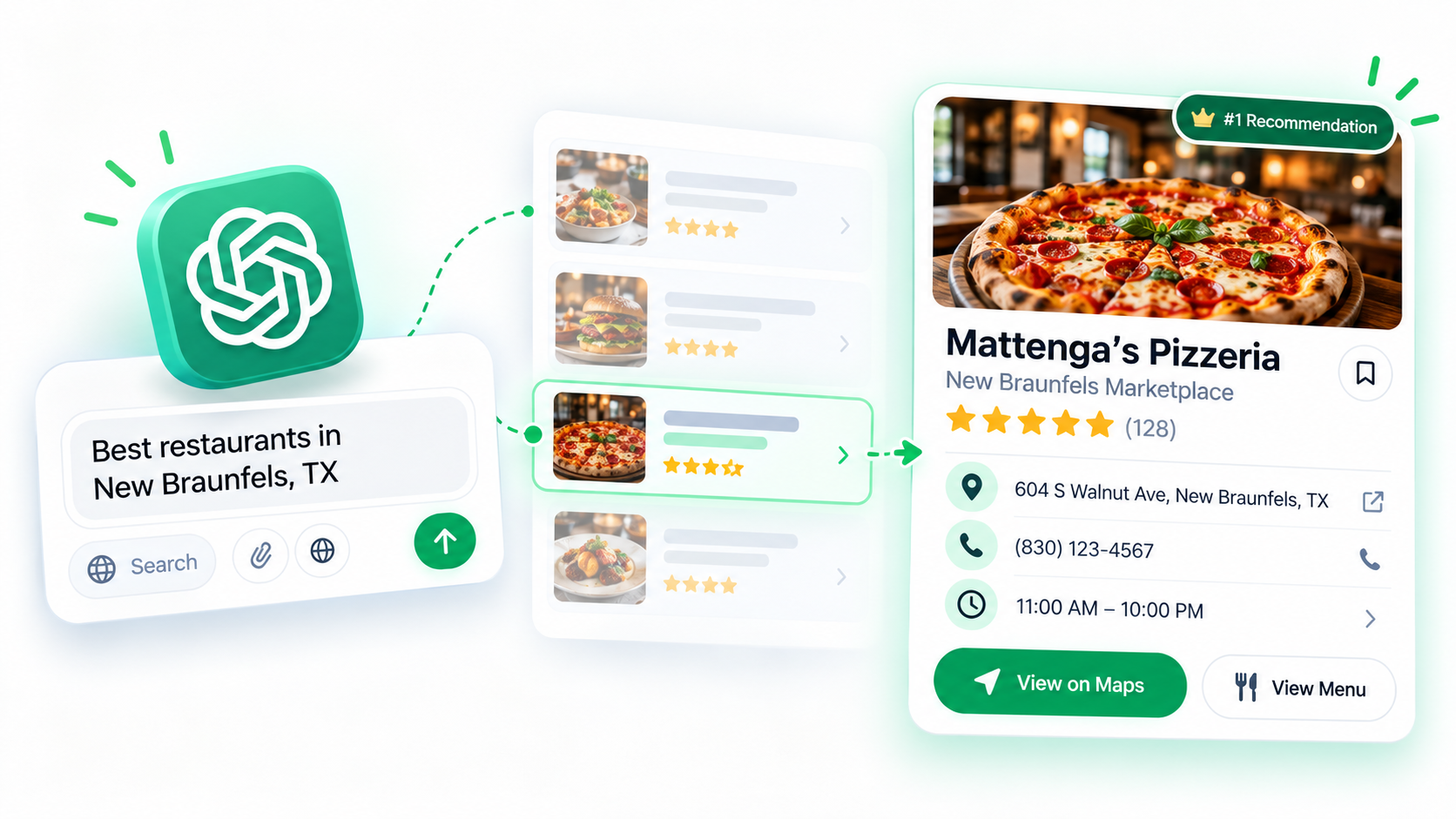
Are diners really using ChatGPT to pick restaurants?
Is ChatGPT important for your restaurant? Yes.
But how important? Let’s look at recent data.
BrightLocal’s 2026 survey found 45% of consumers now use AI for local business recommendations. In 2025, that figure was just 6%. So in one year, we’ve seen a 650% increase. A huge jump!
Also in 2026, an industry report by DoorDash found that 22% of consumers had decided where to eat with the help of ChatGPT or Google Gemini.
However, ChatGPT isn’t more popular than Google Search or good ol’ word-of-mouth yet. 54% of consumers still use Google Search, and 42% rely on word-of-mouth, according to the report from Reputation that I mentioned above.
I’ve caught myself going to ChatGPT more. Maybe you’re noticing that too. We’re part of a huge shift in consumer behavior. But even if that’s true, you shouldn’t drop everything for ChatGPT.
For starters, you might like to know that the work you’re already doing to optimize your restaurant online helps AI search tools recommend you.
Let’s go a little deeper and look at how ChatGPT gets its information on your restaurant. Because if you know how ChatGPT recommends restaurants, you’ll know how to influence it.
Where ChatGPT actually gets its restaurant information
When you ask ChatGPT or any large language model (LLM) a question, its answer will come from two places:
- Its Training Data, which is the massive corpus of information it was built on. This data is static, so it’s not up to date with live information. But it’s enough to answer permanent facts or complete a task.
- Live Search, which happens when your question mentions current events or requires real-time information that may change frequently. Most restaurant questions will trigger a live search.
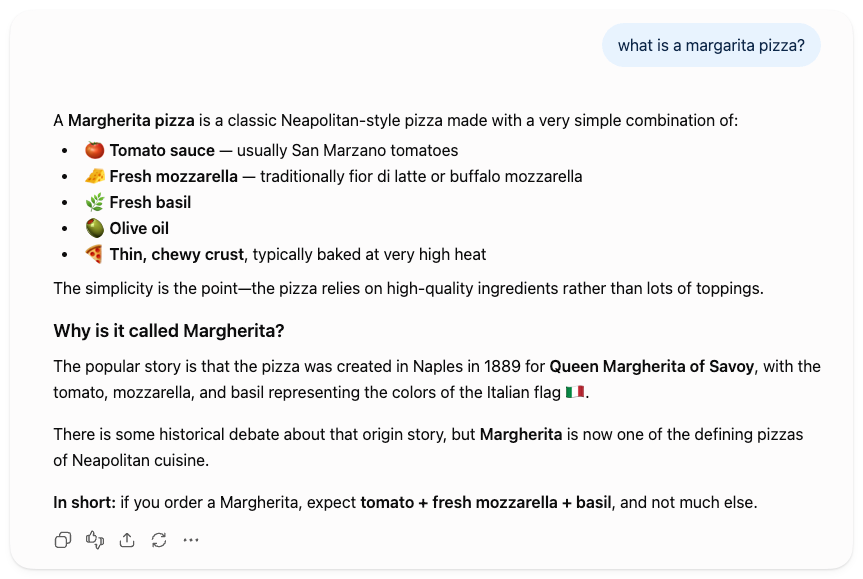
For example, ask ChatGPT, “What is a Margherita pizza?” and it’ll list the ingredients and the history behind the name Margherita. It doesn’t need to search online for that.
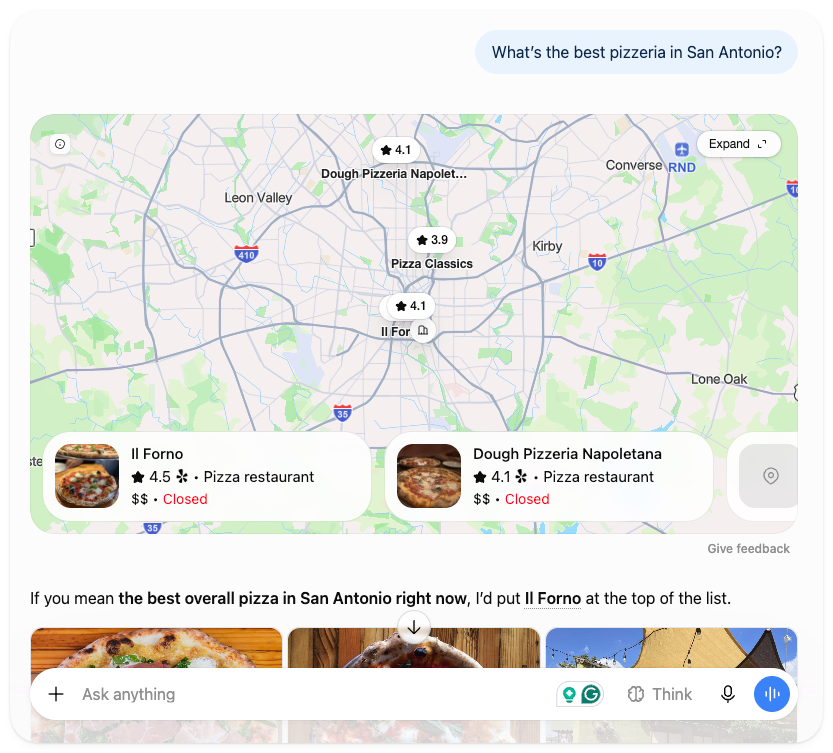
But when you ask ChatGPT, “What’s the best pizzeria in San Antonio?” ChatGPT will decide which restaurants to list by kicking off several searches across Microsoft’s search engine, Bing.
It reviews the search results, grabs snippets of info from those pages, and synthesizes its findings into a recommendation.
I hope to see one of my restaurant locations for Mattenga’s Pizzeria show up in the list.
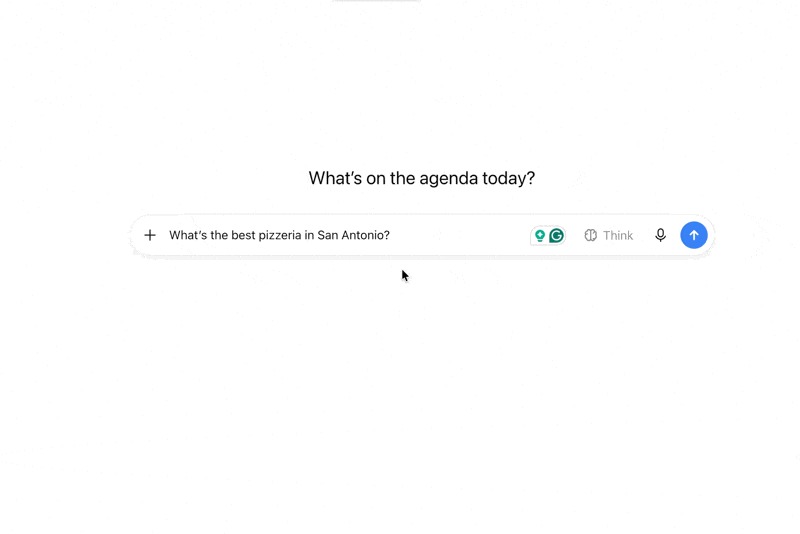
Go ahead and try it yourself. Ask for the best restaurants in your area for your type of cuisine.
If your restaurant doesn’t show up, you might wonder why. And what you can do about it.
Let’s be clear that you can’t do anything about ChatGPT’s Training Data. But you can control a lot when it comes to Live Search.
That’s because ChatGPT’s live search pulls from:
- Your website,
- Your listings,
- community forums, and
- reviews.
If you optimize those, you can influence which pages ChatGPT reads when a relevant search comes up.
So you influence ChatGPT by influencing what it reads about you online.
Of course, you can never control exactly what ChatGPT decides to say (nor will you ever know, because every answer is different), but you can make sure you’re giving it the most accurate, clear source material to work with.
AEO, GEO, AI search: How is it different from SEO?
AEO (Answer Engine Optimization), GEO (Generative Engine Optimization), and AI search all refer to the same thing: optimizing your business for AI chat tools. The tech industry hasn’t settled on a single term yet, and that’s not really a concern for you.
But it’s worth knowing that the difference between AI search optimization and SEO (Search Engine Optimization) is the goal.
- For AI search, your goal is to get your restaurant mentioned in a relevant answer by an AI chatbot.
- For SEO, it’s getting your website to show up in the search results.
The technical differences between the two aren’t worth going into detail here. What matters most is that the work you’re already doing to perform well in organic search will help you in AI search.
Let’s unpack what specific work you can do to show up in ChatGPT’s restaurant recommendations.
How to get your restaurant recommended by ChatGPT (and other AI models)
If you’ve already started using ChatGPT to recommend restaurants, you’ll have an idea about what ChatGPT uses to make those recommendations. There are concrete tasks you can check off so you know you’re doing the right things to get ChatGPT to find and recommend your restaurant.
Below, I’ve ordered them by impact. Complete these, and you’ll be well positioned to win in AI search.
Put your menu on your site as real text
For ChatGPT to recommend your restaurant, it needs to find your menu on your website. That means having a structured online ordering menu. Not just a PDF on your website.
A PDF isn’t easy for LLMs like ChatGPT to find. It could be hard to read and not structured properly. A PDF is also a static file. Every time you update your menu, you have to re-upload it, which generates a new link. If ChatGPT read your previous menu, it’s now out of date and will share incorrect information. It’s also just a hassle to do manually.
By contrast, look at Mattenga’s online menu vs. a PDF from an Italian sandwich shop I recently came across.
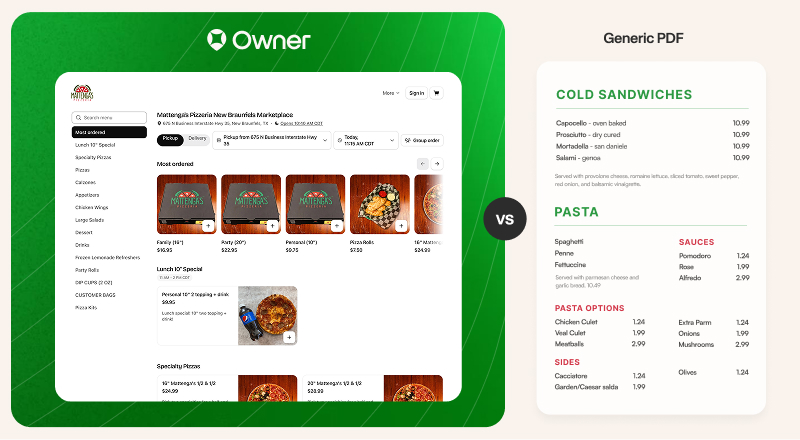
Owner’s online menu, which my restaurant uses, is designed to drive online orders. So you won’t see a PDF.
Instead, you’ll see a structured online ordering page. It has a consistent layout, with photos, descriptions, and prices for each item. Customers can click into each item for more details and customize their order on the site. It’s designed to nudge customers toward placing an order.
My online menu is easy for my customers. But it’s also easy for ChatGPT and Google to read. That’s because text-based pages, clear categories, descriptive dish names, and mobile-friendly navigation are the foundation for AI discovery.
Add structured data to your site
The next way to make it easy for ChatGPT to read your website is to add structured data. What does this mean? Well, to get a little technical for a moment, structured data is called “schema,” and it’s the machine-readable copy that search engines see, not visitors to your website.
Think of structured data like the publication details inside the copyright page at the front of a book. It includes the publication date, publisher, and all the legal stuff. It’s not really part of the book you’re going to read, but it’s in the package.
Your website is a package of information. Structured data isn’t meant for you to read, but it’s the first thing a search engine like Google or ChatGPT sees when it comes to your site. This tells them what your website is: a restaurant of a certain type, with menu items, an address, a phone number, hours, etc.
To add schema to your website manually, here are three resources:
- Use this free Schema generator tool to create machine-readable schema for a “local business.”
- Watch this 18-minute video on how to add schema to your website manually.
- When you’re done, test if it works by copying your website URL into this Google tool that tells you what schema it can read.
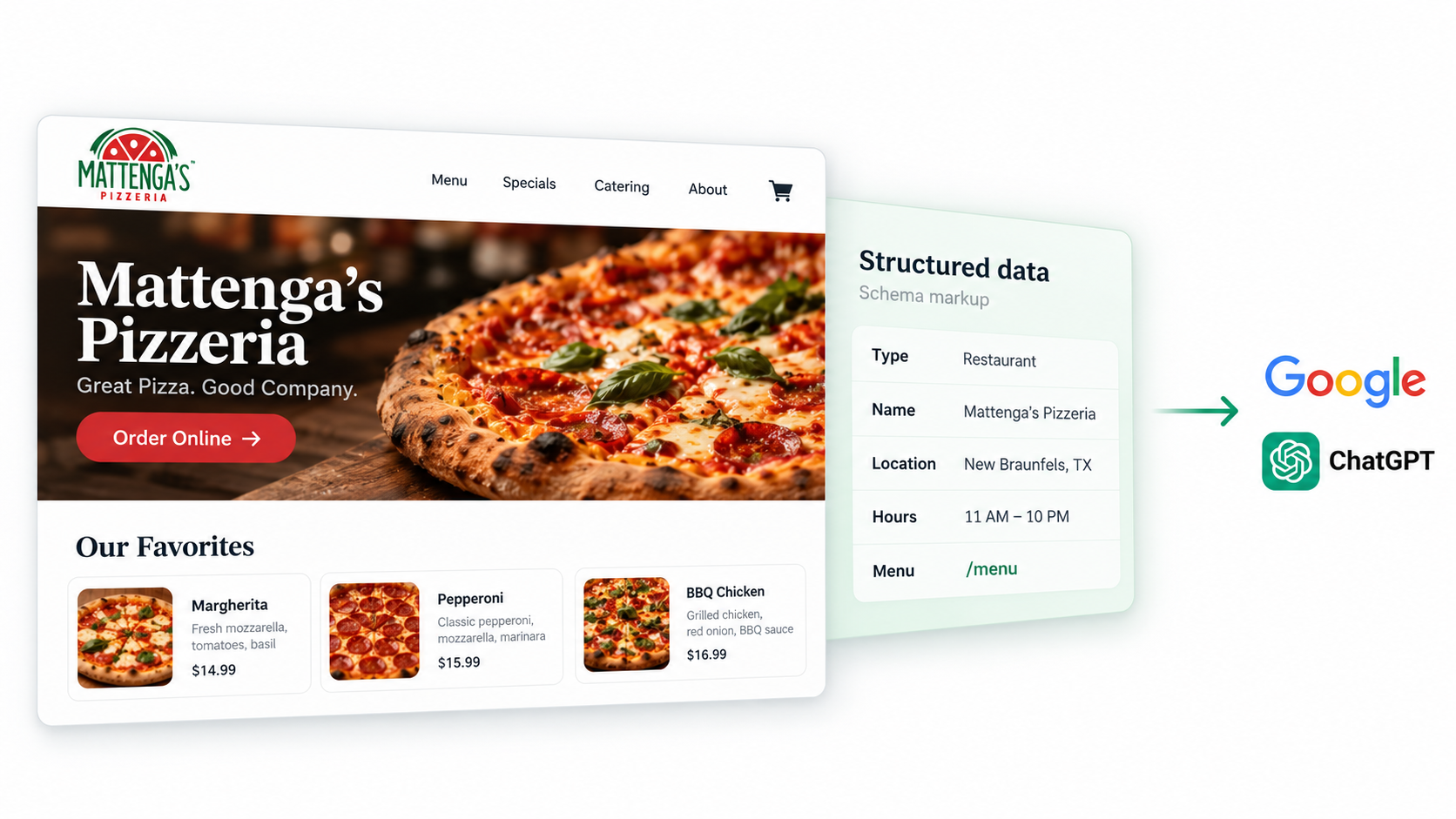
Now, if that’s overwhelming, here’s what I do instead.
I have my Mattenga’s Pizzeria website on Owner. They manage all this technical data for me. Their restaurant websites all include those hidden details that only search engines can see. For example, when I run my website through that Google tool I shared above, all my locations are listed with consistent details in each:
- The type of business we are: a restaurant.
- Each location’s complete name, not just Mattenga’s Pizzeria, but Mattenga’s Pizzeria in New Braunfels Marketplace.
- Our phone number and complete address for each location.
- A link to our menu and online ordering, so it’s easy to find.
In short, Owner websites come with built-in, optimized schema, so restaurant owners don’t need to worry about this technical piece.
Get your Google Business Profile right
After you’ve cleaned up your website so ChatGPT can read and recommend you accurately, it’s time to clean up your most important listing: your Google Business Profile.
Your Google Business Profile is the most important source for ChatGPT and Google outside of your actual website. That’s because when you fill out your Google Business Profile, all that information is automatically structured in a way that ChatGPT can read quickly. It uses that information to verify it against your live website.
For example, if your operating hours aren’t listed on your website, what will ChatGPT fall back on? Your Google Business Profile.
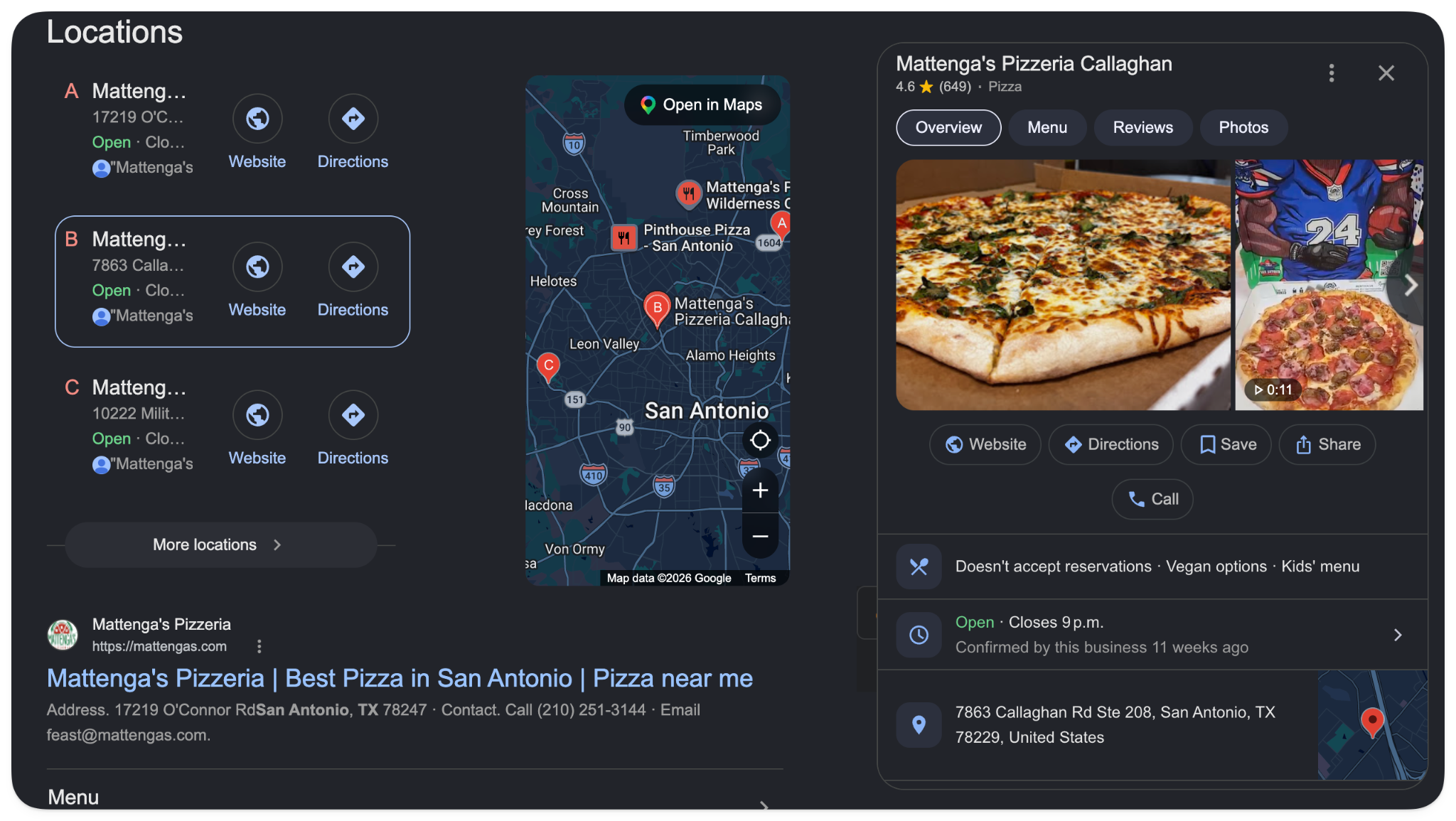
I’ve written a complete guide to optimizing your restaurant’s Google Business Profile. It breaks down how Google decides which restaurants show up in Google Search and Maps results when people ask for “restaurants near me.”
Make sure your details match everywhere
If you’ve asked ChatGPT about your restaurant and it returned the wrong hours or address, it got that information from somewhere. Most likely, your Google Business Profile or a third-party listing has the wrong information.
This is easy to fix if you sync all your listings. There are tools that do this for you, so you don’t have to manage all the different services.
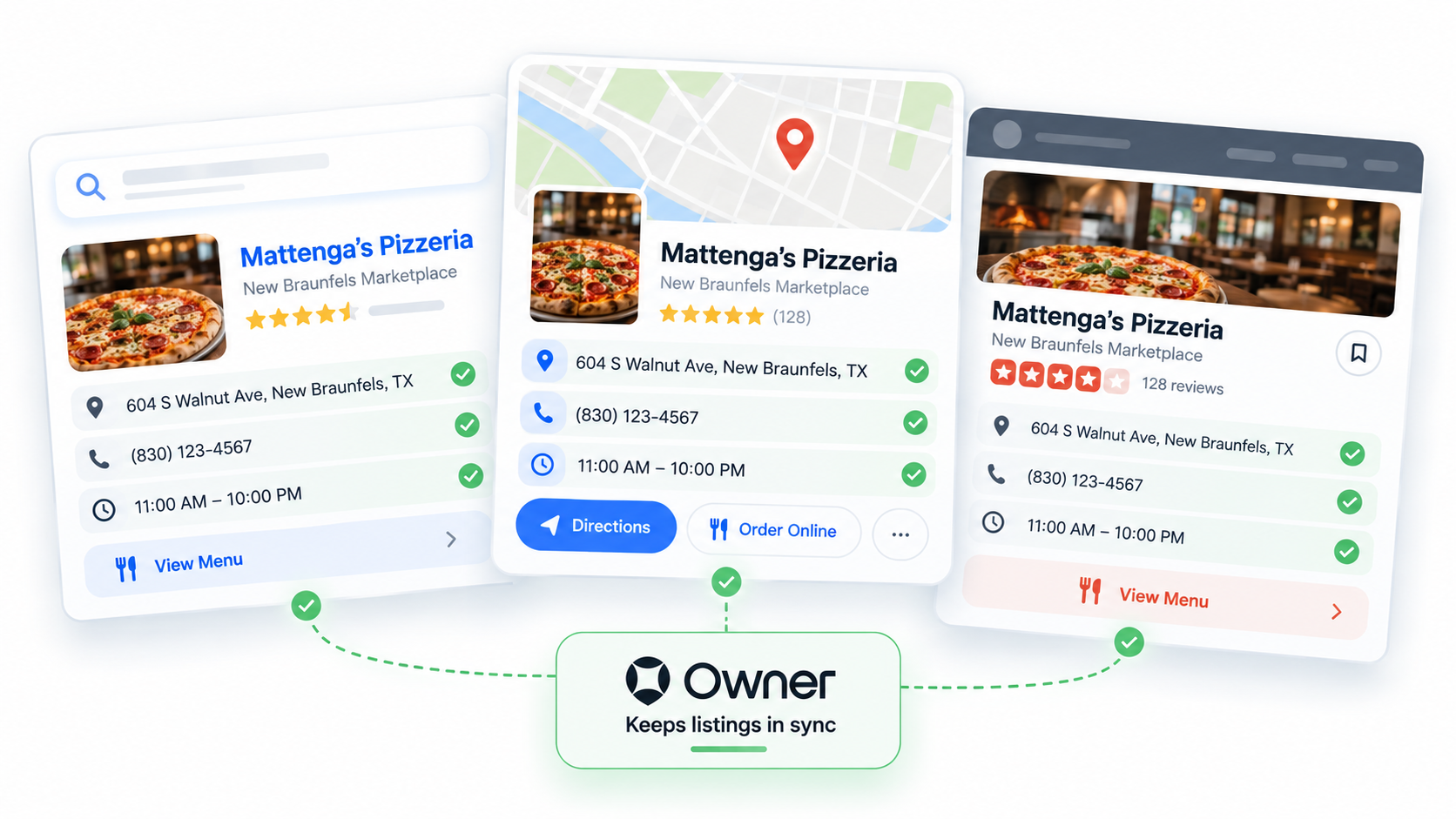
For example, if your website is built on Owner, it will automatically set up your Google listing with the right NAP (name, address, phone number) details, consistent across Google and other third-party listings. Keeping the right details synced across your website and other listings ensures ChatGPT doesn’t cite or share the wrong information when someone asks for it.
Get mentioned where diners ask for recommendations
In addition to cleaning up your own website and third-party listings, there’s still more you can do to get recommended by ChatGPT. And that’s getting other people to talk about you.
ChatGPT wants to back up the details you provide about your restaurant with the opinions and reviews of others.
Of course, that includes getting reviews on your restaurant’s Google Business Profile and other sites. ChatGPT will most certainly use the content of those reviews as context in the answers it provides.
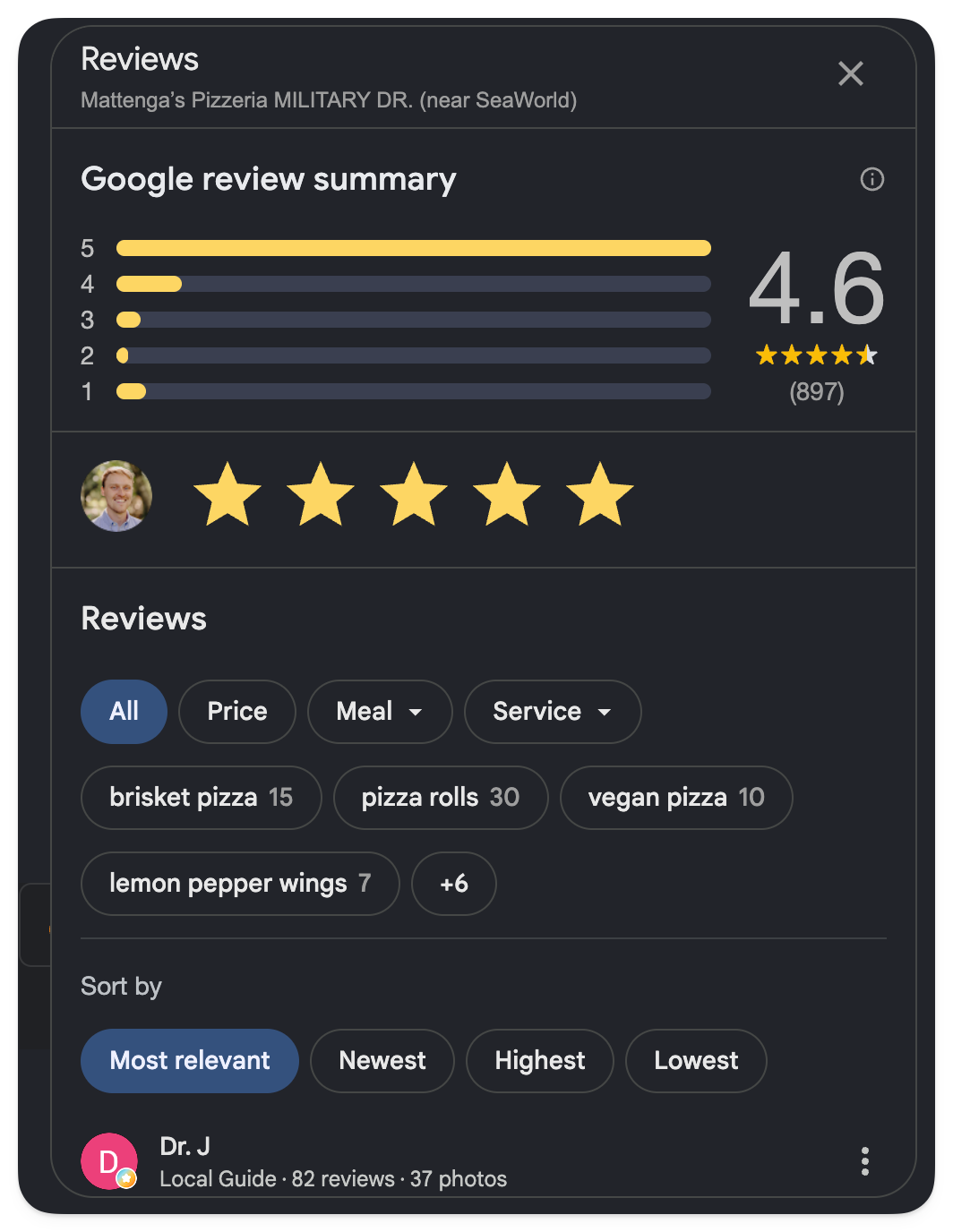
But beyond formal review sites, ChatGPT will also use any and all information on your restaurant from local creators.
These local creators are external sources about your restaurant. They include food bloggers, local government neighborhood guides, community forums like Reddit, social media, and YouTube.
If you can incentivize or encourage people to post about your restaurant on their personal blogs, YouTube channels, or social media, this will all feed ChatGPT information.
If you’ve read our guide to restaurant SEO, you’ll be familiar with the tactic of getting high-quality backlinks to your website. Google can see that other sites are linking to your restaurant’s site. If the site linking to yours is credible, that’s a sign to Google that you’re also credible, and Google’s search algorithm will take that into account when deciding who to show in their search results.
Similarly, having your restaurant mentioned or linked to from other websites with positive details about your menu or venue will influence the kind of answer ChatGPT chooses to provide. You can’t completely control what ChatGPT says about you, but this content will nudge it in the right direction.
Next, let’s talk about another way you can nudge ChatGPT in the right direction without relying on others to create content about your restaurant.
Answer the questions diners actually ask
ChatGPT is an “answer engine,” which means people predominantly use ChatGPT by asking questions, and it performs best when it has a clear question to answer. OpenAI’s research backs this up. They categorized one million user prompts to find that 49% were questions, 40% were instructions for tasks, and the remaining 11% were expressing thoughts.
So if most people ask ChatGPT questions, it’s in your interest to create content on your website and listings that answers the common questions customers might ask.
For example, on Mattenga’s home page, I have a section at the bottom for “Frequently Asked Questions.” In it, I include answers to questions that will inform ChatGPT (and Google) about my restaurant. Doing this further bolsters the details I want ChatGPT to include.
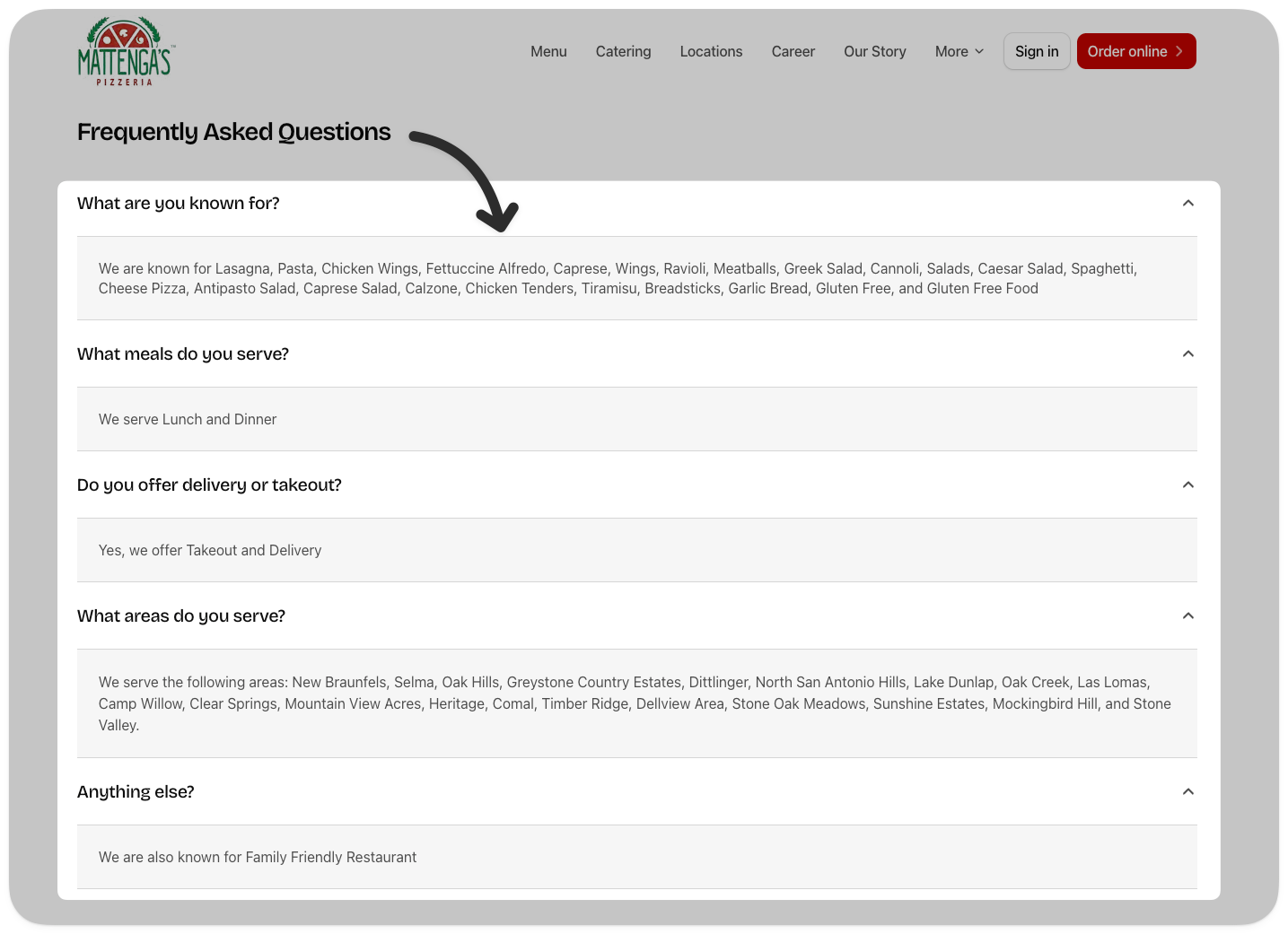
For your website, I’d do the same. Add these questions to the bottom of your website:
- What is [your restaurant name] known for?
- What meals does [your restaurant name] serve?
- Does [your restaurant name] deliver or do takeout?
- What areas does [your restaurant name] serve?
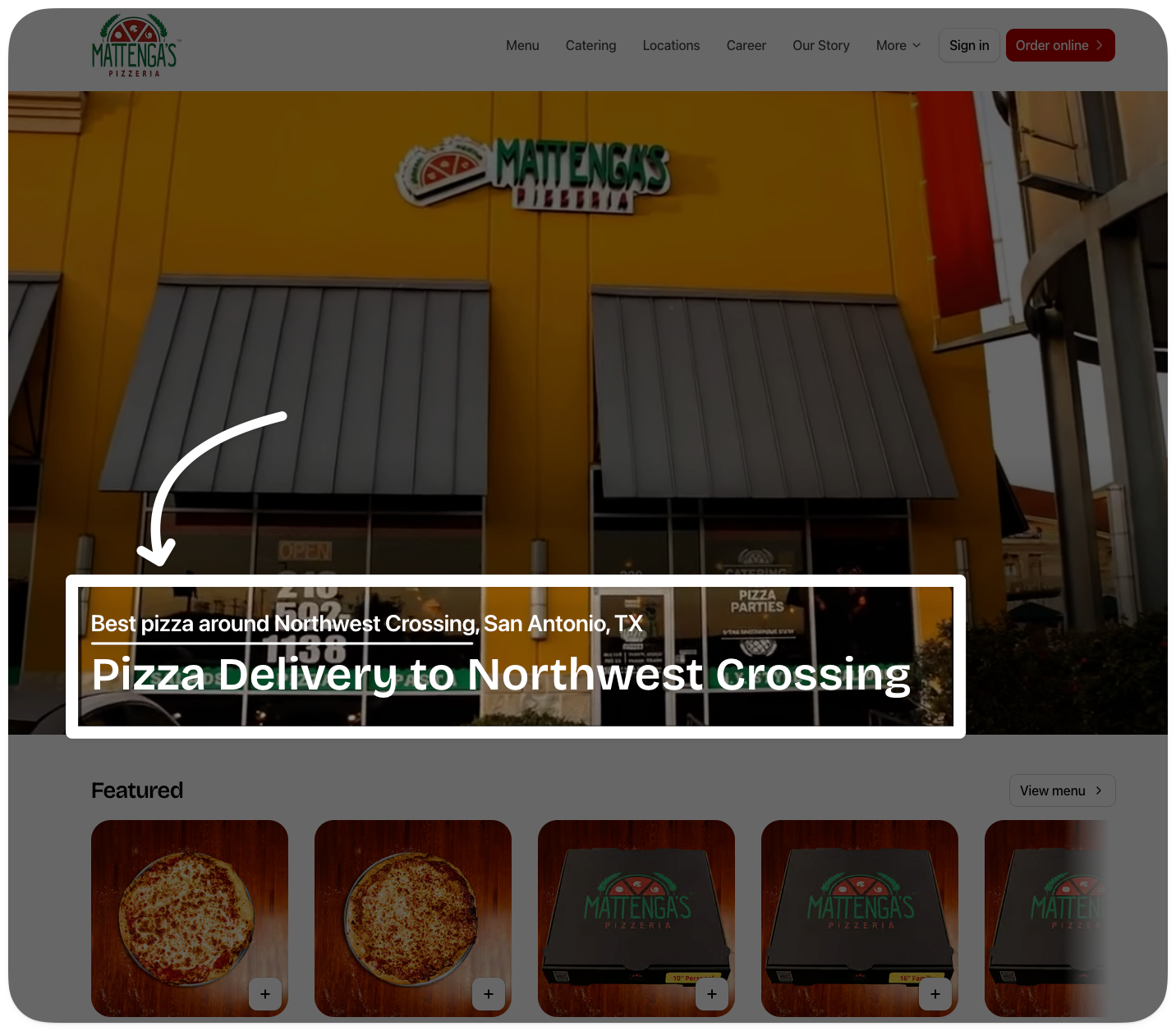
If you manage your restaurant on Owner, they create location-specific landing pages to capture more of the questions people will ask on Google and ChatGPT. For example, each location at Mattenga’s has a landing page formatted as “the best pizza around [location].”
What to do when AI gets your restaurant wrong
If you find out that ChatGPT is giving wrong information about your restaurant, here’s why that happens and what you can do about it.
First, let me explain why ChatGPT can share wrong information. If you recall, I explained above that ChatGPT gets its information from two places: its massive training dataset, or a live search using Microsoft Bing’s search engine.
If your restaurant’s website has been around for a long time (prior to 2023, for instance) and hasn’t changed, it’s possible that ChatGPT has it included in its training set. So if you recently updated your website and ChatGPT didn’t include it when prompted, it’s also possible that it’s answering from its training data.
But what’s more likely is this: ChatGPT is getting the wrong information from an outdated listing about your restaurant.
You can tell if it’s doing an online search if you see “searching…” before it gives you an answer.
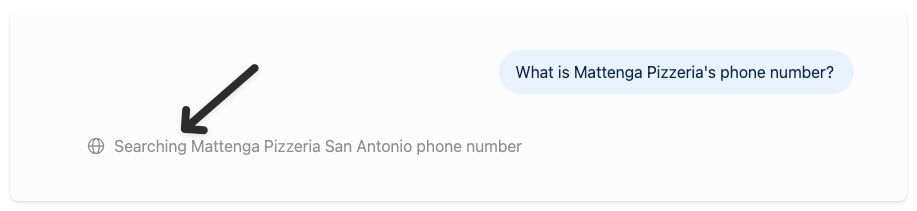
So if you’re seeing incorrect information, you have a listing that’s out of date, but for some reason, ChatGPT chose to use that as the source.
Now here’s how to fix it.
- Click the three dots at the bottom of the answer to see “View sources.”
- Clicking that will open a menu showing all the sources it pulled the answer from.
- You can see ChatGPT verified multiple locations’ phone numbers using my website.
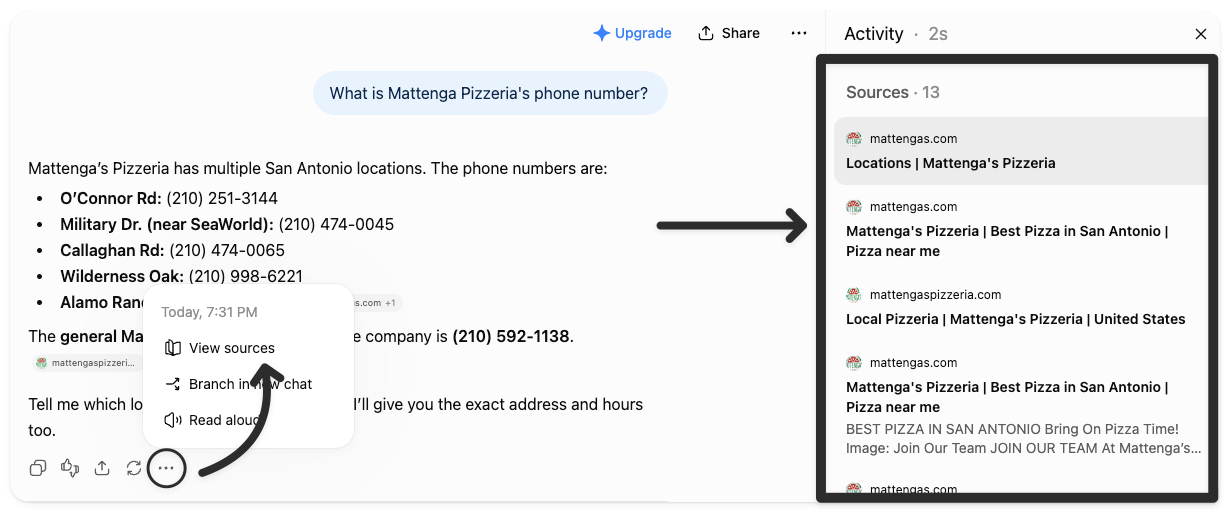
If any of these phone numbers were incorrect, I’d check those web pages first.
If I wanted to double-check, I could also prompt ChatGPT to “Tell me where you got that phone number, exactly. Which web page did you scrape it from?”
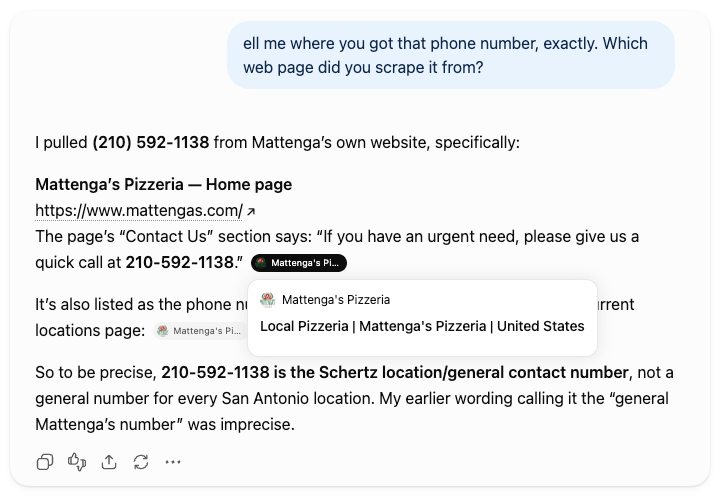
Once you find the correct information, update it. If it’s your own website or a third-party listing, that’s within your control.
But if it’s someone else’s website, you have to ask them to update that information.
Try to find their contact information on their website, or if you want to be fast, ask ChatGPT to find their contact details for you. Shoot them an email or give them a call, asking them to update it.
Once they’ve updated it, you’ll have to sit tight. There’s no firm timeline on when ChatGPT will stop making the mistake, but because each time you ask, ChatGPT kicks off a search, you can trust this will fix itself fairly quickly.
AI search is more than just ChatGPT
ChatGPT is the most popular AI tool at the moment. But it’s not the only one people use. Claude has grown in popularity as well, more so for professionals using it for work.
But there’s also Gemini, which is Google’s AI tool, aligned with AI Mode, which is becoming more common in Google Search. There’s also Perplexity, another AI search tool.
Some prioritize live searches more than others. Gemini and AI Mode rely heavily on Google Search. So does Perplexity. But Claude doesn’t kick off online searches as frequently.
All this to say, you’re not just optimizing your restaurant for ChatGPT. You’re building on the website best practices that serve you in SEO. Anything that helps your website show up more often in Google Search will also help you in this new world of AI tools.
Now let me explain how you can win in AI search without becoming a full time AI expert.
How Owner helps restaurants win at AI search
I’ve already mentioned that my website is built on Owner. And that’s because it handles the heavy lifting by optimizing for AI tools and search engines automatically. I don’t have to fuss over the details.
They’ve helped thousands of restaurants drive over a billion dollars in sales. So I trust that they know what online experiences work for restaurants.
For example, my location-specific landing pages, online menu, ordering, listing management, and review engine are all handled on Owner. All I have to do is enter the details.
I know my website is set up correctly, but do you? Owner has a free restaurant website grader. It will review your website and tell you what’s working and what you can optimize, so you show up better in Google and AI tools.
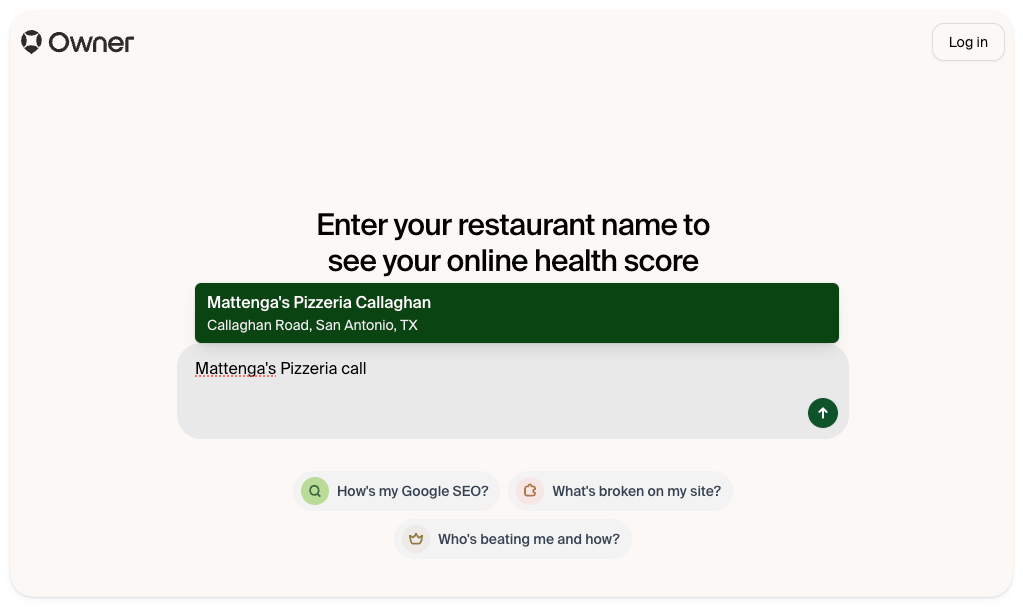
All you have to do is enter your website. The AI takes over, finds your locations and nearby competitors, and lets you compare. Then it reads your Google Business Profile, looking at customer reviews and photo quality. Finally, it crawls your website.
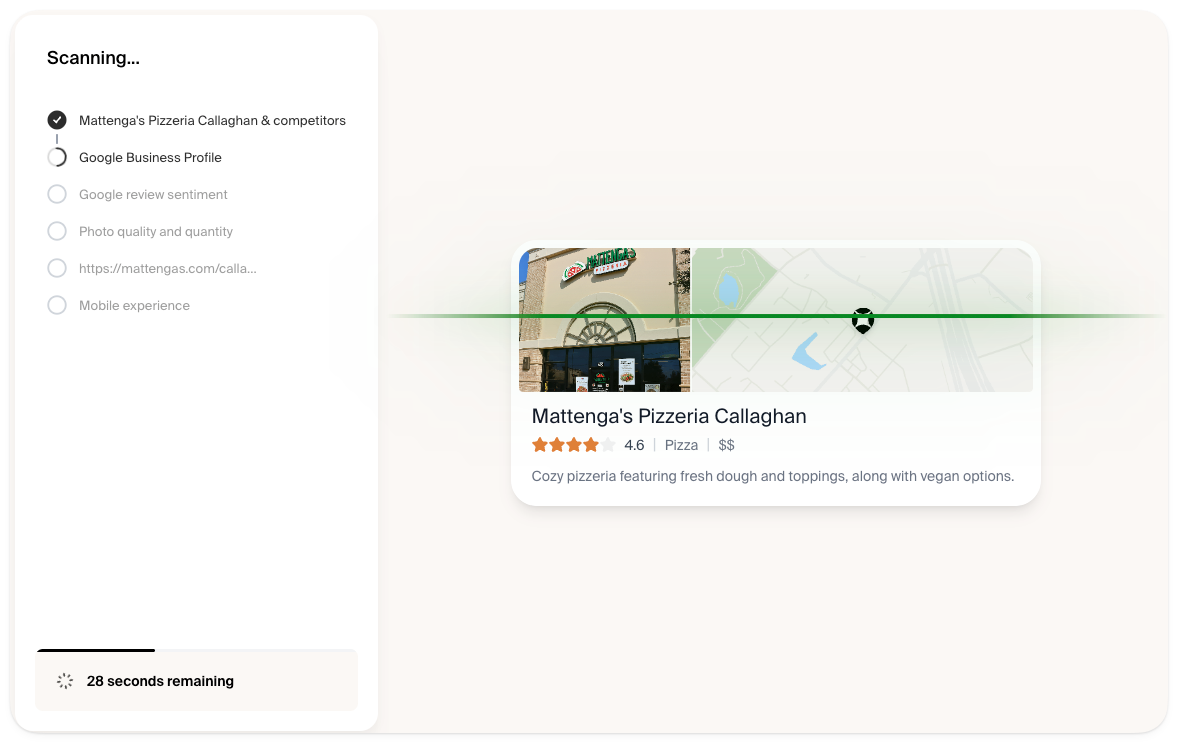
It then generates a detailed report with a grade on each area of your website. You can go and optimize each area, or click to have the AI do these optimizations for you. It’s not magic, but it’s close!
When you’re ready, grade your website on Owner to see what opportunities you have.
Frequently Asked Questions
Can I pay to have my restaurant recommended by ChatGPT?
ChatGPT’s organic restaurant recommendations can’t be bought, though OpenAI did release ChatGPT ads in March 2026. Organic recommendations are based on what it finds when it searches online, using Bing. The best way to show up more often in ChatGPT’s results is to improve your website, listings, reviews, and mentions from food bloggers.
Do I need a website to be recommended by ChatGPT?
Not exactly, but it’s very important. When you ask ChatGPT for restaurant recommendations, it will pull from Google Business Profiles, review sites, and ordering platforms. If you don’t have a website, but you do have other listings, it’s possible you’ll be included in ChatGPT’s answers. But your website is the first place they will look if available. Your site is the best place to confirm your menu, hours, and locations.
Do online reviews affect whether ChatGPT recommends my restaurant?
Your reviews influence which restaurants ChatGPT recommends and how it describes them. It can only answer questions about your restaurant based on what it finds online. So if there are negative reviews, those can be referenced by ChatGPT. If there’s a negative review impacting what ChatGPT says about your restaurant, the best thing to do is respond to the review, empathize with their complaint and explain what you’re doing to remedy the situation. Then, ChatGPT will have that context too. So a negative review might be cited, but hopefully your response is cited along with it.
How can I check what ChatGPT says about my restaurant?
You can never know what someone else sees when they ask about your restaurant. Each answer will be different because of that user’s ChatGPT history and context. But you can test it yourself while logged out on the ChatGPT website. Ask it “What’s the best [cuisine] in [city]?” or “What is [restaurant name] known for?” Then use “View sources” to see which pages it read to provide that answer. Try this every month or so, because answers change.
How long does it take for my restaurant to show up in ChatGPT?
There’s no definitive timeline you can rely on. But ChatGPT does run a fresh search for most questions related to restaurants. So a fix to your website or listings can show up in answers once search engines have re-crawled those pages. That can take days or weeks. The best thing to do if there’s misinformation about your restaurant is to make the optimizations you know are important. Let ChatGPT handle the rest.