11 Most Common Restaurant Website Mistakes Costing You Orders (And How to Avoid Them)
Is your restaurant website costing you orders? See the 11 most common restaurant website mistakes, what they cost you, and how to fix each one.
.jpg)
- A PDF menu is hard for Google to read and hard for guests to order from. Switching to an HTML menu is one of the easiest wins on this list.
- Guests should be able to spot how to order within five seconds of landing on your site. A visible "Order Now" button makes ordering easy.
- Keep ordering on your own domain. It makes it easier for guests to order, it’s better for your SEO, and it keeps the customer relationship with you.
- Up to 64% of web traffic comes from mobile devices. A fast, mobile-friendly site means guests are more likely to see and order from your site.
- Dedicated menu, location, and cuisine pages help you show up for searches like "best tacos near me," not just your restaurant's name.
- A website works best when it keeps growing with your business. Regular updates keep you visible on Google and easy to order from.
Do you ever find yourself wondering, “Is my restaurant website actually working for me?” After all, you want to make sure you’re set up to bring in as many online orders as you can.
Once you know what you’re looking for, it’s easy to tell the difference between an average restaurant website and a great one. It’s not in the branding or the customizations; it’s how easy they make it for guests to order.
The costliest mistakes are the ones you can't see at a glance: a menu Google can't read, a checkout that sends guests somewhere else, and a site that hasn't changed since launch. More often than not, you don’t realize the things stopping people from placing orders.
We get it. You’re a restaurant owner, not a web developer. You’re working hard enough running your business. Hiring a marketer or continually updating your site yourself just isn’t realistic. But you deserve to have a website that drives sales and keeps guests coming back time and time again.
To help you out, we’ve put together a list of the 11 most common restaurant website mistakes we see, why they happen, and how to fix them. Here is a sneak peek:
- Your menu is a PDF
- No photos of your dishes
- Your site doesn't work on a mobile phone
- It takes too long to load
- No online ordering
- Online ordering is hard to find
- Online ordering on a third-party site
- The basics are wrong or hard to find
- Your homepage is the only page Google can rank
- No social proof
- The site hasn't changed since launch
What a bad restaurant website actually costs you
What you might not realize is that a bad website actually costs you money.
Let’s do a little math. On the average restaurant website, guests complete checkout around 4.5% of the time.
Say your average order is $20, and 1000 people visit your website from Google each week. If 4.5% of them order from you, that’s 45 orders and about $900 in your pocket.
Now, compare that to an Owner.com restaurant website, where guests complete checkout about 8% of the time. With those same 1000 visits a week, you get 80 orders, leading to $1600 in sales.
And that doesn’t even account for the SEO optimizations that bring you more traffic. If you get 20% more Google traffic, that’s 1200 visits that make you $1920. That's over $1000 difference.
Simply put: the best restaurant websites make more money from online orders.
The 11 Most Common Restaurant Website Mistakes
Most restaurant website mistakes happen because owners don’t have time to manage a website. Luckily, they’re simple to fix.
Here’s what you need to know about the most common mistakes: why they happen, what they cost you, and how to fix them so you can boost those conversion rates.
Short on time? Watch this video for a quick overview, bookmark this blog, and then come back when you have time to dig in.
#1: Your menu is a PDF
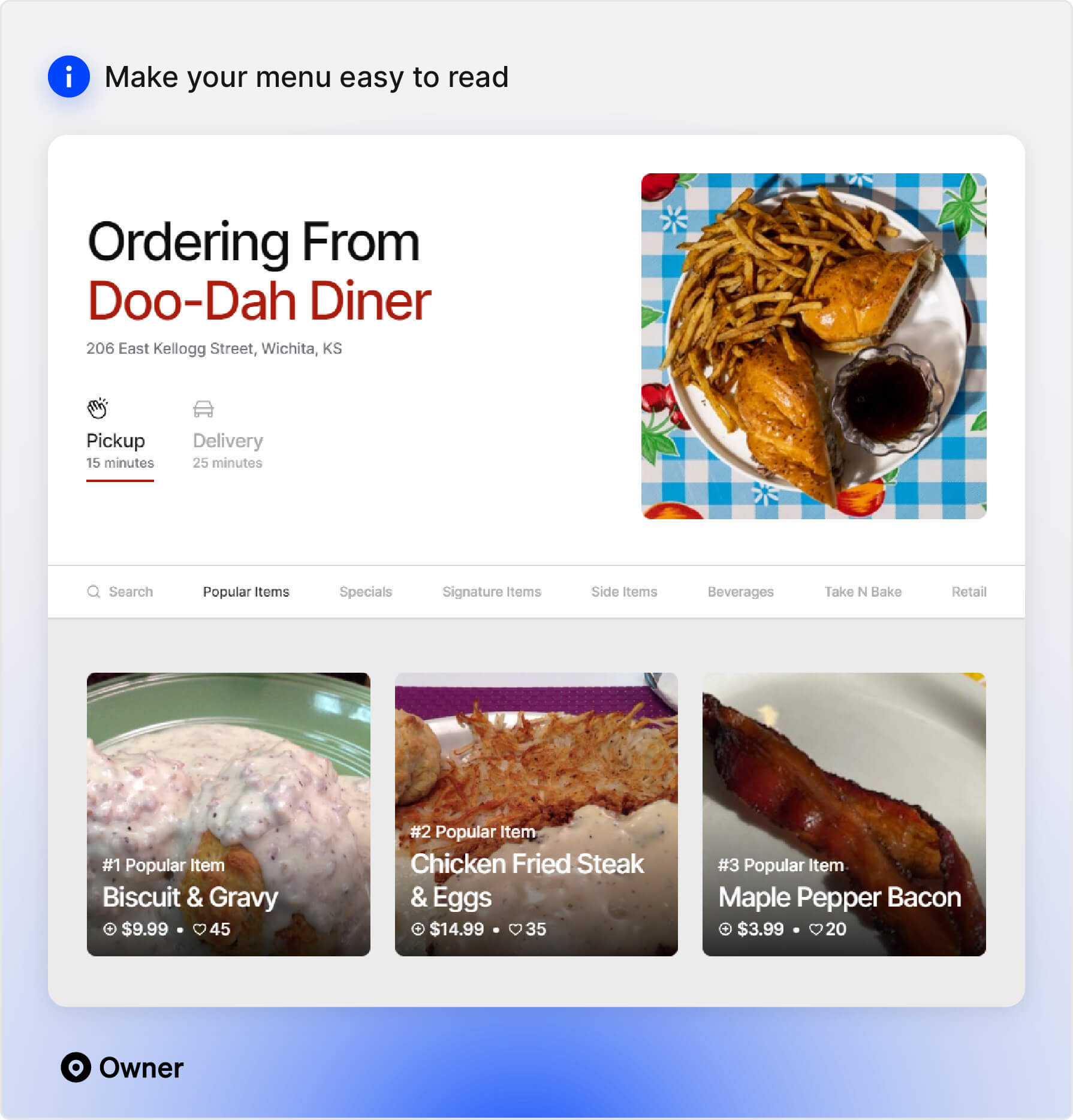
Your online menu is one of the most important parts of your website.
Adding a PDF menu might seem like the fastest way to keep your website up-to-date, but it's not user-friendly. It's also bad for your restaurant SEO. Google can't read a PDF, so it can't rank your site for the searches that matter. And once a guest opens one, they have to zoom in and scroll just to read it, then find their way back to your site to order.
What it costs you: If people can't read your menu or order from it, they might leave your site before they see what you're serving.
How to fix it: Build a visual HTML online menu that your customers can order directly from. This helps you get found in Google searches, keeps your menu scrollable, lets people jump between sections, and keeps your menu accessible for people who need translation or screen readers.
#2: No photos of your dishes
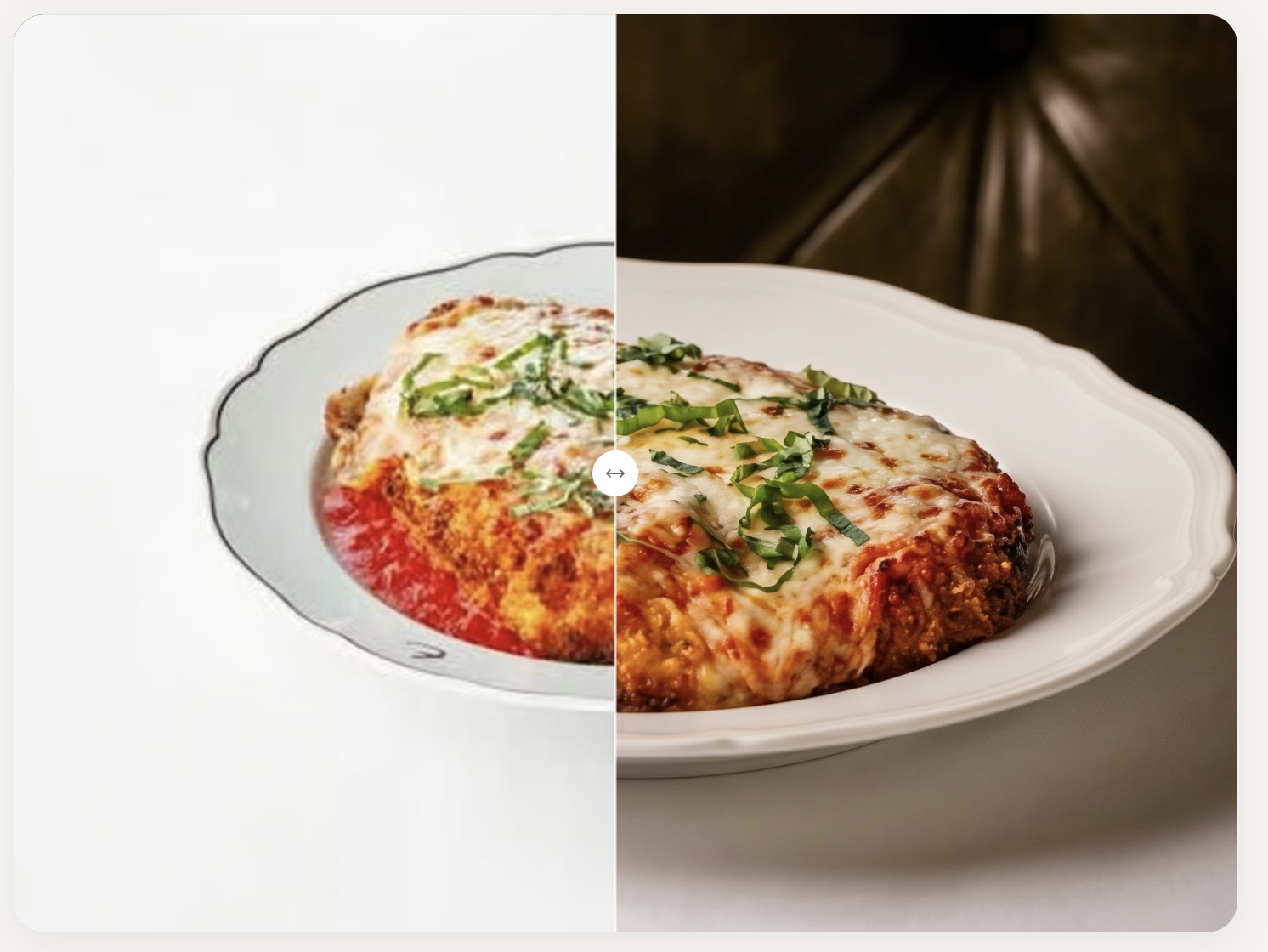
Guests eat with their eyes before they read the menu. Your food photography proves just how good your food tastes. Delicious-looking photos are a key selling point when people decide to place an order.
What it costs you: 61% of guests say that menu photos are one of the most important parts of a restaurant’s website. If you don’t have high-quality photos of your dishes, people might order from somewhere that does.
How to fix it: Invest in high-quality food photography, and have photos available for every item on your menu. You can also use a tool like Owner.com’s Photo Upscaler to improve the quality of your images.
#3: Your site doesn't work on a mobile phone
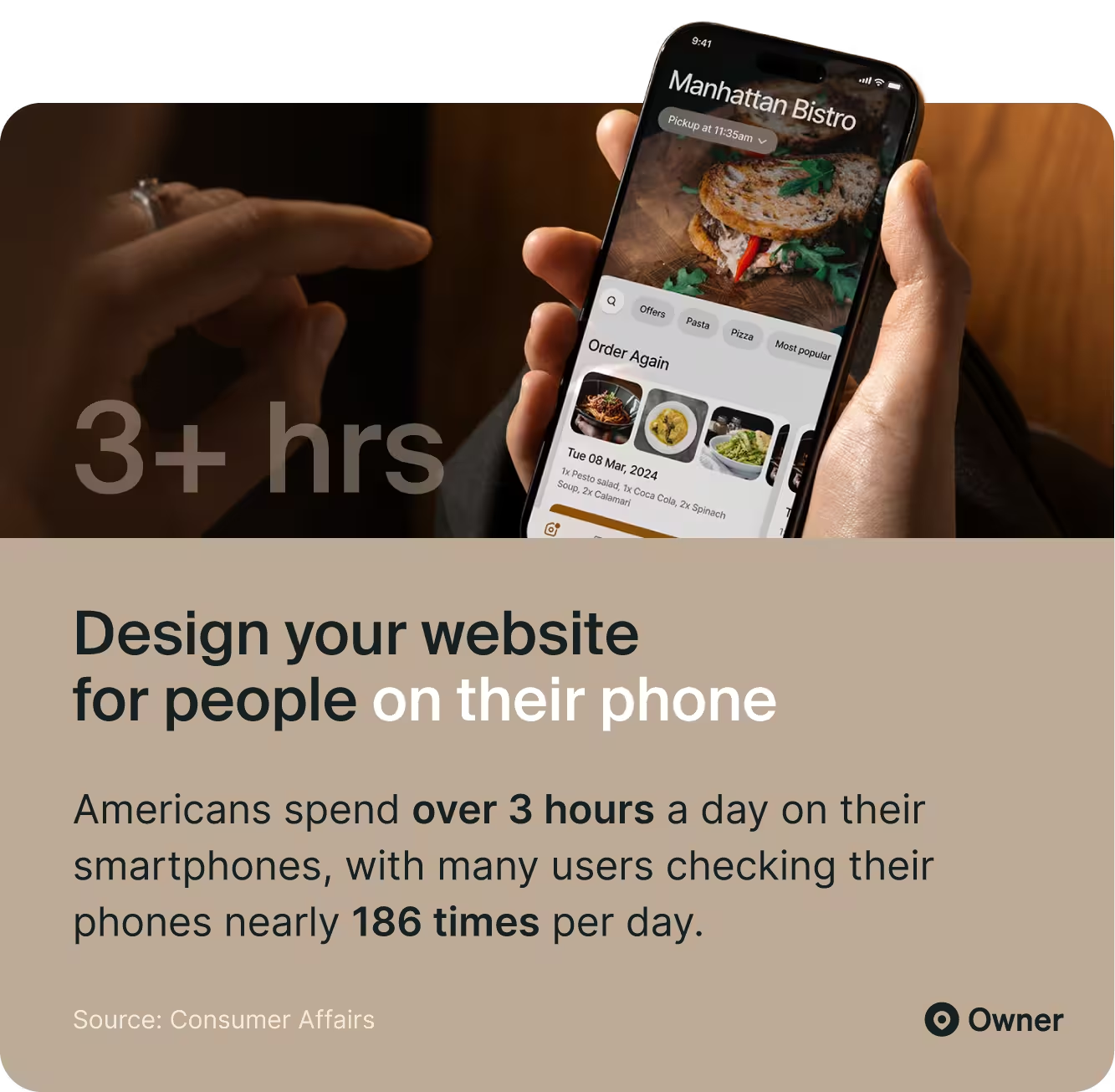
We’ve all been on websites that just don’t work on your phone: the text is tiny, the images are too big, and the buttons are too small to tap. Most of the time, people are already hungry when they’re ordering online. They don’t have the patience to navigate a bad mobile site.
What it costs you: Up to 64% of web traffic comes from mobile devices. If your mobile site doesn't work well, you're losing most of your visitors before they see your menu.
How to fix it: Create a mobile-friendly website where it’s easy to find your contact information and menu, and photos fit mobile phone screens. Make it super simple to place an order online, with large tap-friendly buttons ready at the top of the screen as they scroll.
#4: It takes too long to load
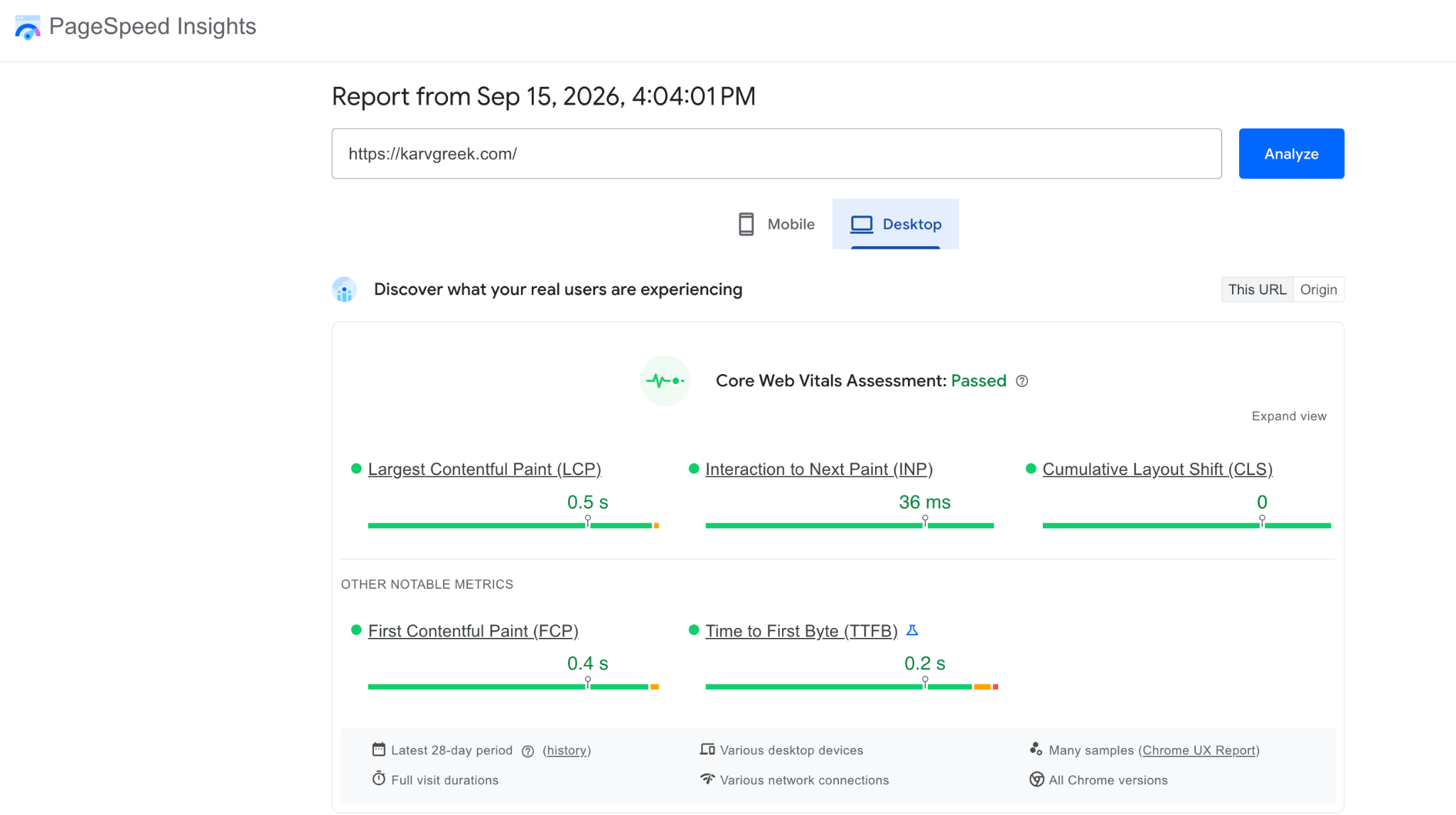
Another common issue is long or slow loading times. Ideally, your site should load in under 2 seconds. Any longer, and your guests might get impatient and find somewhere else to eat.
What it costs you: Slow websites add friction and cost you orders. In fact, 53% of people will leave mobile websites if they take over three seconds to load. People should be able to browse your menu, see photos, and check out fast. Slow loading times also negatively impact your website's SEO., which can lead to lower rankings and less traffic.
How to fix it: One of the biggest culprits for slow site speed is oversized food photos, so check your image file sizes before uploading. Try to keep your product photos at 300 KB or lower; you can use an image re-sizer tool to help with this.
To see how your site holds up, paste it into Google's PageSpeed Insights tool. It can be complex to read if you're not a developer, but green results mean your site is fast.
#5: No online ordering
If there's one mistake standing between you and more online orders, it's this one. When guests visit your site, they should be able to order right then and there. It’s not just a nice-to-have for new customers; guests are more likely to reorder from a restaurant with great online ordering.
What it costs you: 75% of guests won’t order if your site or online ordering experience is bad. If they have to call you or visit a third-party site, that’s a sale you might lose and a relationship you might not get to build.
How to fix it: Add online ordering directly to your site. Prioritize having an easy-to-navigate menu, great food photos, and fast checkout options.
#6: Online ordering is hard to find
Your guests need to figure out how to order in five seconds. If they have to scroll or click through pages, it’s almost like you don’t have online ordering set up. It needs to be super clear right away.
What it costs you: Clear ordering drives conversion rates and, ultimately, higher sales. When Karv Greek Kouzina switched to Owner.com and made ordering front and center, their online sales grew by $40,000 each month.
How to fix it: Make sure the “Order Now” button is always visible. Our recommendation? Keep it in the header, choose a big size so it’s easy to tap or click on, and keep it visible as your guests scroll. Remember: you want to keep “Order Now” visible on all devices.
#7: Online ordering on a third-party site
We're not knocking third-party apps for online ordering. They can make things easier, and your guests might prefer to use them if that's what they're used to.
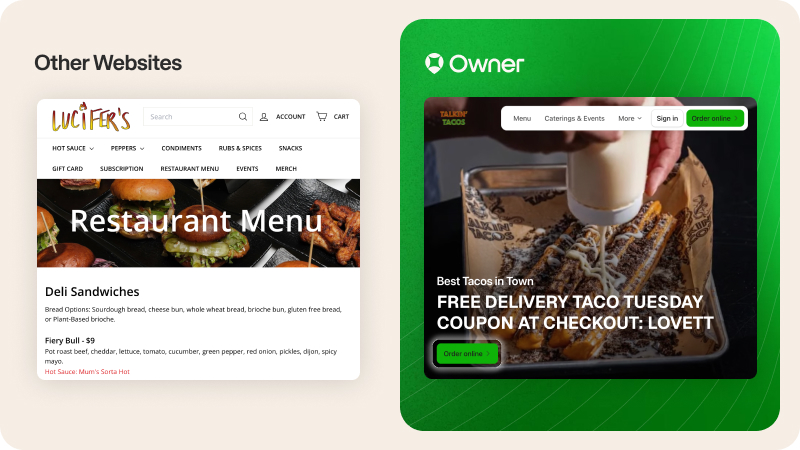
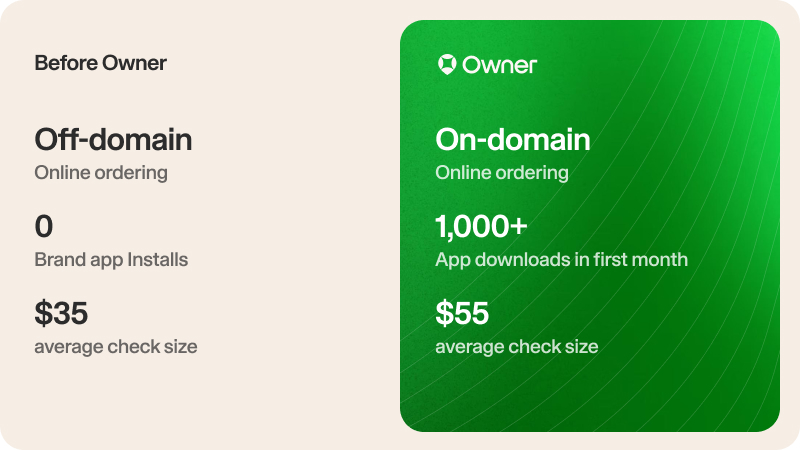
But if guests are coming directly to your site, sending them to a different domain to order makes them more likely to drop off before they finish. And it's not just delivery apps: some online ordering systems check guests out off-site, too.
What it costs you: Off-domain checkout hurts your conversion rate and your SEO. It also means the customer relationship belongs to the platform that hosted the checkout, not to you.
How to fix it: Add online ordering directly onto your website. It provides a smoother user experience, improves your SEO, and helps you build your customer relationships.
When Mattenga's Pizzeria switched to Owner.com and moved ordering onto their own site, they grew sales by $192,000 in the first 30 days.
#8: The basics are wrong or hard to find
Recently, I visited a website for a local restaurant. It had five-star reviews, a great story, and someone even drew a cartoon of the owners. But I couldn’t figure out when they were open, so I ordered lunch somewhere else.
Your customers need the basics: your hours, address, phone number, and menu. They have to be easy to find and up-to-date.
What it costs you: If people don’t know what you serve or where you’re open, they need to do extra work to place an order. Making these hard to find loses you sales.
Keeping the basics up-to-date is just as important. Otherwise, you risk hungry customers showing up when you’re closed or orders for a menu item you don’t have in stock.
How to fix it: Prioritize a clear, user-friendly website design over a flashy one, and remember to keep your hours, contact information, and menu current.
#9: Your homepage is the only page Google can rank
Building a website and optimizing it for SEO takes time that lots of owners don’t have. Because of this, many restaurants have one-page websites that only rank for the restaurant’s name. This works when people search for you, but what about other searches?
What it costs you: A one-page site limits how much people can find out about you. Say you’re a taco restaurant. When someone searches “best tacos near me”, you’ll be outranked by a restaurant that has a page dedicated to and optimized for tacos.
How to fix it: Build pages to capture traffic for cuisine- and location-specific searches, like "best tacos is Miramar". Owner.com’s restaurant SEO does this automatically, and these pages drive up to 40% of Google traffic for most restaurants.
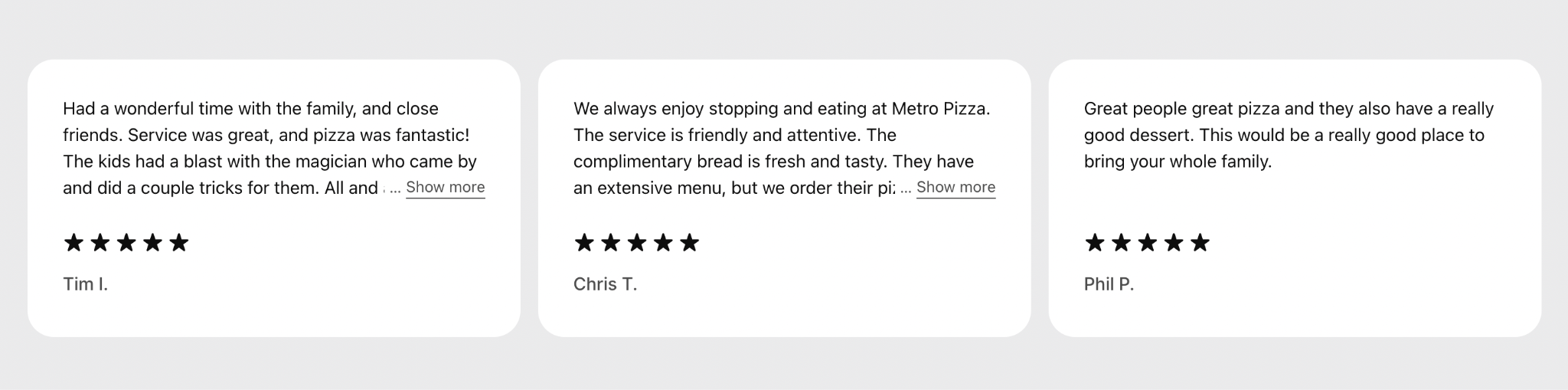
#10: No social proof
People trust people. Reviews and real food photos show guests you're worth ordering from. When you skip sharing social proof, guests hesitate when you need them to click "order."
Too many restaurant sites miss this. They end up with no reviews, no real photos, or stock imagery of food they don't even serve.
What it costs you: Social proof taps into buyer psychology, giving guests a shortcut to trusting you, even if they haven’t heard of you before. It helps you make more money, too. 58% of people say they’d pay more for something that has good reviews.
How to fix it: Build a system that makes it easy to collect reviews, like a prompt for feedback after they order. Owner.com’s review engine helps more happy customers share their thoughts, earning Google reviews averaging 4.92 stars. And once you start collecting reviews, make sure they’re visible on your website.
#11: The site hasn't changed since launch
Think of your business one year ago. Things have probably changed. So why should your site stay the same?
The truth is, your restaurant website is an ongoing project. It needs to match your business as you grow and keep up with what search engines and guests expect. Sites that stop being maintained lose ground.
What it costs you: A site that stops improving starts falling behind, and guests and Google both notice. Rahul Bhatia saw what happens when you go the other way. When he modernized his restaurant Saffron's website with Owner.com, he saw direct online sales grow from $3,600 a month to $125,000 a month.
How to fix it: Treat your website like part of your business. Update your menu, photos, and hours as things change, and keep it optimized for search.
This takes time, so many restaurant owners trust Owner.com to handle their restaurant website instead. Our team runs tests and ships updates to your SEO, checkout, and design, so your site keeps improving while you stay focused on your business.
Fixing restaurant website mistakes: a quick checklist
You might read this list and realize you had no idea your website could affect your business so much. If you haven’t made a website for your restaurant before, these mistakes may not seem like they'd make that much of an impact. But when they make it harder for guests to find you on Google and place an online order, they're worth fixing.
If you're wondering how your site measures up, we've got a tool to help. Owner.com's website grader scans your website and online presence, giving you an online health score in seconds. Give it a shot!
Once you’ve got your score, go through this checklist to see where you can improve next.
How to fix the most common restaurant website mistakes
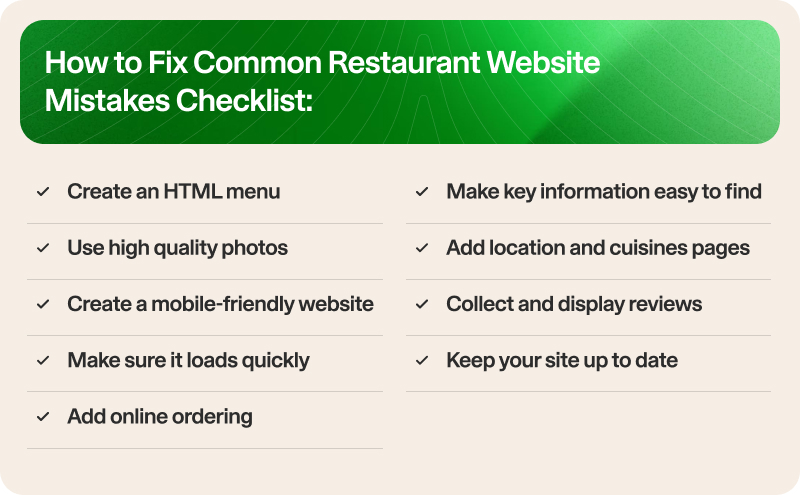
Here is a simple checklist to fix the most common restaurant website mistakes. Pull up your website and assess how you stack up against each of these.
- Update your PDF menu to HTML
- Add high-quality photos of your dishes to your menu
- Make sure your site is mobile-friendly and loads fast
- Add online ordering to your website
- Make sure your “Order Now” button is always visible
- Keep your hours, menu, and contact information easy to find + up to date
- Add location and cuisine pages
- Collect reviews and add them to your site
- Regularly update your site
You don’t have to handle your restaurant website alone
This might seem like a lot to take in. If your site needs some help fixing these mistakes, don’t panic. These are common mistakes for a reason. You aren’t expected to be a web design expert, and most restaurant websites are built to work like a brochure, not to drive sales.
But now that you know what you can fix, you’re better positioned to start making those changes that help you grow your business online.
If you're not sure where to start, that's exactly what Owner.com can help with. We’re an online growth system that runs your restaurant's website, SEO, and reviews for you. You stay focused on running your business while we help you get found online and bring in more online sales.
If you want to learn more, get a free demo. We’d love to see if we’re the right fit to help your restaurant grow.
Restaurant Website FAQs
What pages should a restaurant website include?
At a minimum, every restaurant website should have a homepage, an online menu, an online ordering or reservations page, an about page, and a contact page with your hours, address, and phone number. Many restaurants also add pages for events, catering, gift cards, and customer reviews. The most important rule: make your menu real, crawlable text (not a PDF or image) and keep your "Order Online" and "Reserve" buttons easy to find on every page.
How do I make my restaurant website mobile-friendly?
Use a responsive restaurant website builder that automatically adapts your site to any screen, since the majority of restaurant searches happen on a phone. Beyond that, the essentials are fast load times (compress your food photos and avoid heavy plugins), large tap-friendly buttons for "Order Online" and "Reserve," and text that's easy to read without pinching or zooming. Google uses mobile-first indexing to rank sites, so a smooth mobile experience directly affects both your rankings and your orders — test yours regularly with Google's free Mobile-Friendly Test. Platforms like Owner build every site mobile-first by default, so this is handled for you.
Can I add online ordering to my restaurant website?
Yes — and you should. Adding online ordering directly to your own website lets you take orders commission-free, keep your customer data, and turn website visitors into direct sales instead of sending them to third-party apps. Just make sure the ordering happens on your own site rather than redirecting to an external platform, which hurts both your SEO and your customer relationship. Platforms like Owner build direct online ordering right into your site.
How do I optimize my restaurant website for SEO?
Focus on the fundamentals that help nearby diners find you: put your cuisine and location keywords (like "best tacos in West Loop") in your homepage title and headline, publish your menu as real crawlable text rather than a PDF, and make sure your site loads fast on mobile. Then strengthen your local presence by claiming and optimizing your Google Business Profile and keeping your name, address, and phone number consistent everywhere online. For the full playbook, see our guides on restaurant SEO and local SEO for restaurants.
Should I include photos on my menu?
You should absolutely include high-resolution images of your food. For casual dining, fast casual and cuisines that are unfamiliar to your customer base—think Ethiopian, Filipino or regional Indian—photos do real work. They remove the guesswork and make customers more confident when ordering something new.
How should I structure my menu pages for SEO?
Use text-based menus rather than PDFs or images so Google can read your content. Organize items by category (e.g., appetizers, entrees, desserts) and naturally incorporate your keywords into dish names and descriptions. Make sure each menu page is easy to navigate on mobile and includes clear calls to action, such as “Order Online” or “Reserve a Table.”
Do I still need a website if I'm on the delivery apps?
Yes. Delivery apps are a great way to reach new guests, but they don't help you build a relationship with them. Your own website is where guests can find you directly and order again, becoming regulars instead of one-time visitors through someone else's app.
What should a restaurant website include?
Your restaurant website should include:
- An HTML menu with professional-looking food photos
- A clear “Order Now” button that is always visible
- Online ordering directly on your website
- Easy-to-find hours, location, and contact information
- Cuisine and location pages to boost SEO
- Social proof like Google Reviews
How fast should a restaurant website load?
Your restaurant website should load in 2 seconds or less. To see how fast your website is, run it through Google’s PageSpeed Insights tool. If your results are green, you have a fast website.
How do I create a website menu that is not a PDF?
Build your menu directly into your website as text and images, not as an uploaded file. This makes it easy for guests to explore your menu, and for Google to see what you’re offering. A system like Owner can build your online menu for you and keep it updated as your offerings change.
Why is my restaurant website not getting orders?
Your restaurant website might not be getting orders because:
- Online ordering is buried, and people need to click or scroll to find it
- Your website is slow or difficult to use on mobile
- Guests need to order on a third-party domain
- There aren’t any reviews or social proof